2018 from a functional point of view |


|
2018 from a functional point of view |
|
New |
General |
For Features the Data type Memo (NxT)’ is now also available. (Technical: Character Large Object (CLOB) ) (not yet for Object type 'Case') *CRS-5268
|
Improved |
Links |
Due to the DIS4all export, no BDOCUMENT.XML was unintentionally exported. (update 2018-07) *CRS-5664
|
Improved |
MyCorsa NxT |
If multiple files are dragged to the Basic data tab of a File, then on the window What do you want to do? a click on the lower option Register individually (one by one) has no effect. (update 2018-07) *CRS-5419
|
Improved |
MyCorsa NxT |
Executing the formula ObjectToView() displays an error message under Oracle for a very large numbers of linked documents. ("SyntaxError: Unexpected end of JSON input") (update 2018-07) *CRS-5367, ZD#32437
|
Improved |
MyCorsa NxT |
In the Internet Explorer, the window of formula IdentifyDoc() is unintentionally displayed behind the TDSViewer. (update 2018-07) *CRS-5581, CRS-5615
|
Improved |
MyCorsa NxT |
In a Variable window design, one system field or reference field with If the Trigger field is a combo box, then the value of modified triggered fields was afterwards unintentionally restored to the initial value by passing (update 2018-07) *CRS-5611, ZD#34089
|
Improved |
MyCorsa NxT |
It turned out, however, that facet 'last year' (2017) unintentionally included the 2 previous years. As a result, facet '2016 and older' was not shown.
(update 2018-07) *CRS-5614, ZD#32629 |
Improved |
MyCorsa NxT |
After opening the window of formula ObjectToView() it could only be unintentionally closed after selecting a rule. (update 2018-07) *CRS-5741
|
Improved |
MyCorsa NxT |
After adding a document to a folder on the Documents tab, when returning to the Basic Information tab of that file, it turned out that the buttons (update 2018-07) *CRS-5617
|
New |
MyCorsa NxT |
New function Start Case [W_OBJP_CSTART] for a person •if a menu item of the result window Search - Person [W_ZEKOBJP] and •if button •if menu option of the window Tiles - Persons [W_TILES-P]
New function Start Case [W_OBJE_CSTART] for an organisation •as a menu item of the result window Search - Organisation [W_ZEKOBJP] and •as button •as menu option of the window Tiles - Organisations [W_TILES-P].
The standard customer is then determined by the value of the parameter stdklant (but can be modified). (update 2018-07) *CRS-3892
|
New |
MyCorsa NxT |
New function Layout configurator [WA_LAYOUT_CONFIG] for tiles and panels from MyCorsa NxT Management [WA_MENUNG]. It is now possible to define which fields and features are shown in a tile. *CRS-4892, CRS-4896, CRS-5090
|
Usability |
MyCorsa NxT |
For Search queries, the icon of the option 'Panel (search fields) collapse/expand' (top right of the 'criteria block':
(update 2018-07) *CRS-5568, ZD#34139
|
Improved |
Merge |
During Scanning an error message was displayed if * or ~ was present in the path. ("[MergeExC][PathMerge] Invalid characters in path") (update 2018-07) *CRS-5576, CRS-5747, ZD#33769, ZD#34372
|
Improved |
MyCorsa NxT |
While registering a Document, after entering a very common surname in the field Sender/Addr. code an error message was displayed incorrectly. ("Person was not found"). (update 2018-07) *CRS-5753, ZD#34622
|
New |
Case |
New formula GetZtcInfo() for retrieving case type data. (update 2018-07) *CRS-5080
|
Usability |
MyCorsa NxT |
If the maximum length of keywords in search queries is exceeded, then the keyword is automatically shortened to the maximum length. In Corsa and MyCorsa a message will be shown. In MyCorsa NxT this was not yet the case. (update 2018-07) *CRS-4939, ZD#32389, ZD#34224
|
Improved |
MyCorsa NxT |
If the value of the parameter defspl = "P", then in the field Administrator code of the registration window for Documents an Employee was selected. Unintentionally, however, the window Select the organisation-unit was shown. (update 2018-07) *CRS-5477, ZD#33893
|
Improved |
MyCorsa NxT |
If a document has been registered under Internet Explorer that starts a case, then after (update 2018-07) *CRS-5550
|
Usability |
MyCorsa NxT |
In the result tiles of Application Search, the time is now also displayed in the fields Created and Modified in addition to the date. (update 2018-07) *CRS-5471
|
New |
MyCorsa NxT |
When requesting Tasks in your To do list, you can now use Preselections. New function Preselections [W_VOORSELECTIES] from Tasks - Cases - Employee [W_CWRKP], - Organisation-unit [W_CWRKO] and - Role [W_CWRKR]. (update 2018-07) *CRS-4801
|
Usability |
MyCorsa NxT |
While registering a new case via , by pressing
(update 2018-07) *CRS-5559, ZD#34069
|
Improved |
Document Arch |
If a CMIS module is not installed, then during Cleaning up - document(s) and Cleaning up - folder(s) an error message is displayed. ("User-defined function 'IsCmisObject' invoked but could not be found.") (update 2018-07) *CRS-5443, CRS-5640, ZD#33886
|
Improved |
Agenda |
In the TDSViewer in the Select an agenda item window, only one linked mail item (greyed out) was unintentionally displayed in the Objectselection field (top left).
(update 2018-08) *CRS-5742, ZD#34044
|
Usability |
Agenda |
When generating agendas, the option has now been added to
(update 2018-08) *CRS-5427
|
Usability |
Case |
When adding employees to a role of a case, it was not yet possible to sort the list by name. This is possible in the following window Employee by role including new columns such as First name, Telephone, Room etc.
(update 2018-08) *CRS-5833
|
Usability |
Corsa MyCorsa |
As of release 2017, the functionality with Memo text blocks is identical in Corsa, MyCorsa and MyCorsa NxT. The protected mode (only add text; do not change), is the default.
If your organisation does not use MyCorsa NxT, then you can set the parameter onemmblk for Corsa so that existing Memo-text CAN be edited. The Memo-text is then displayed as a single block. This parameter may not be used in combination with MyCorsa NxT. Before commissioning this parameter, the Memo-text blocks per Memo must first be merged into 1 Memo-record. (ontw/d-merge-nwmemo.r). Function(s) to be authorised [AMEMO_W] of registration window Agend item, [DMEM_W] of Folder, [OMEM_W] of Organisation, [PMEM_W] of Person, [PMEMO_W] of Document, [VMEMO_W] of Property, [WMCS_W] of Case. (update 2018-08) *CRS-5651, ZD#34448
|
New |
Links CODA (XMLi) |
New parameter cd-version for Coda 14 integration based on XMLi. (update 2018-08) *CRS-4932
|
New |
MyCorsa |
MemoFeatures with Data type ‘Memo (NxT)' are now shown in variable windows as "Read-only" (but text can be added). (update 2018-08) *CRS-5271
|
Improved |
MyCorsa NxT Management |
Renumbering agenda items on the 3rd sub-level did not function correctly. This has now been improved.(update 2018-08) *CRS-5887
|
Improved |
MyCorsa NxT Management |
Agenda itemscan now be expanded and collapsed in the 2nd sub-level. 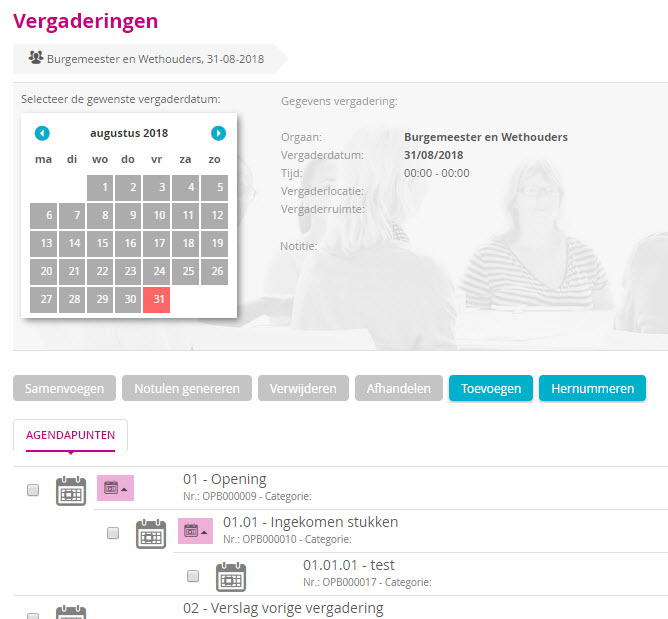 Click on the image to enlarge / reduce (update 2018-08) *CRS-5787
|
Improved |
MyCorsa NxT |
In the Layout configurator, if (update 2018-08) *CRS-5670
|
Usability |
MyCorsa NxT |
The Enter-key of the numerical keyboard now has the function of the Tab-key inVariable tables. (update 2018-08) *CRS-5649
|
Usability |
MyCorsa NxT |
The functionality of the Message Centre has been extended: •The •The text of unread messages is displayed in bold. •After a click on an unread message, it is given the status 'Read' and is no longer displayed in bold. •An administrator can create a System message to show in the MyCorsa NxT Login window and in the Message Centre. •These Systemmessages can also include a Start Date/Time with Expiration Date/Time. •A user can a
= New function Send message [W_SENDMESSAGE] from Other [W_OVERIG]. (update 2018-08) *CRS-4598
|
Usability |
MyCorsa NxT |
The ease of use of the result window from Search queries with many search items has been improved for small screens: •If the grid with the result is not high enough, then it will get a minimum height of 300 pixels •It will automatically scroll down to show the hits.
In release 2018, a hint has also been added, indicating that the panel with search items can be collapsed and expanded (to make room for the display of hits). (update 2018-08) *CRS-5627, ZD#34226
|
Improved |
MyCorsa NxT |
After removing Agenda items using the subnumbering (parameter agnr = yes and agnrsub = yes) the sub-level structure was only displayed after pressing (update 2018-08) *CRS-5885
|
Improved |
MyCorsa NxT Management |
After removing Agenda items, Renumbering is now carried out automatically. (update 2018-08) *CRS-5788
|
Improved |
MyCorsa NxT Management |
During the checking and unchecking of an Agenda item, the underlying Agenda items would also be checked and unchecked automatically. (update 2018-08) *CRS-5586
|
Improved |
MyCorsa NxT |
While processing a case, the field labels of the Process window is no longer shown after a tab switch if a new tab was opened for an action. (update 2018-08) *CRS-5890
|
Usability |
MyCorsa NxT |
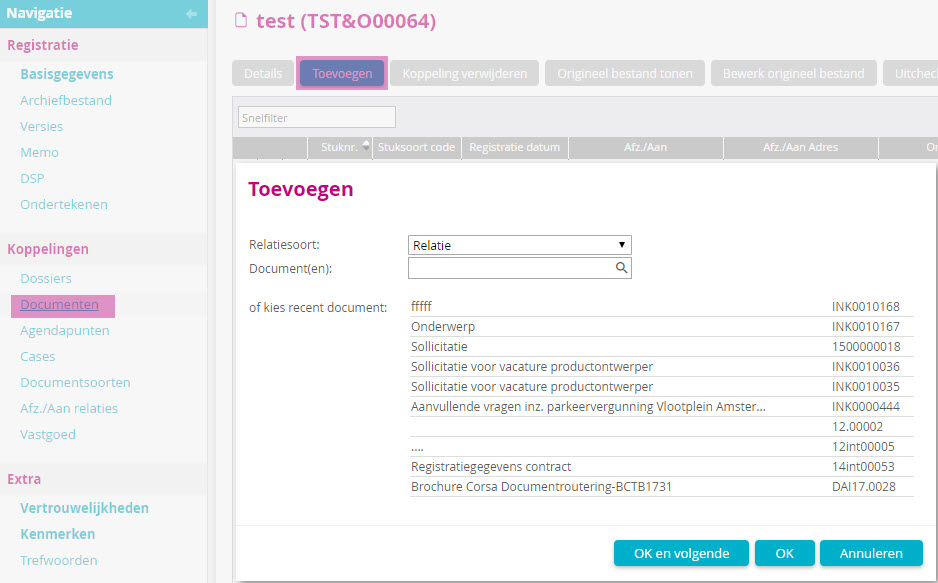
From tabs for related objects you can click on •In the Add window, myCorsa NxT displays a maximum of 10 recently opened objects of the relevant object type. You can select them one by one, if you wish.
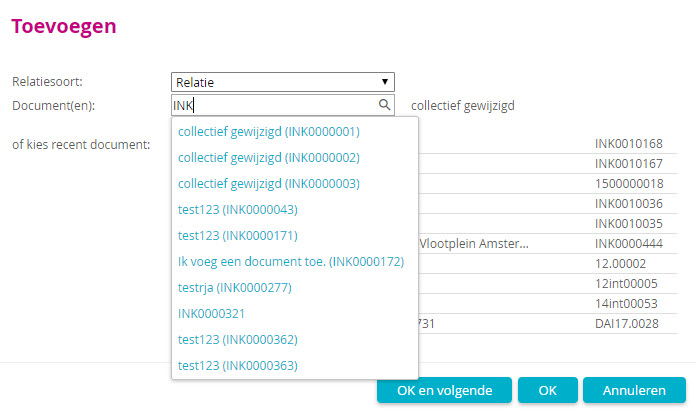
 Click on the image to enlarge / reduce •In the field for object numbers (Document(s), Folder(s) etc.) you can enter a search text and select one of them one by one from the drop-down list with a maximum of 10 hits.
 Click on the image to enlarge / reduce •After a click on
•Instead of just using a Search query, the To do list (Tasks - Documents or Tasks - Employee, respectively)can be used to link Documents and Cases
(update 2018-08) *CRS-5426
|
Usability |
MyCorsa NxT |
When requesting Tasks in your To do list, you can use Preselections. The last used Preselection has inadvertently not yet been saved 'for re-use' in your user settings. (update 2018-08) *CRS-5834
|
Usability |
MyCorsa NxT StUF-BG |
For StUF query of an organisation with Search input ‘Number (establishment)' are to be used for the Location number and the CoC number now also entered the leading zeros automatically in MyCorsa NxT (according to the set field length from the DBini-file STUF0204/NNPIngang02).
(update 2018-08) *CRS-5551
|
Improved |
TDSView |
After printing a PDF file from the TDSViewer, the result was often found to be of poor quality on some printers (dark blur and grainy). (update 2018-08) *CRS-5642, ZD#34007, ZD#34346
|
New |
Case |
In the details window , Roles can now be set (update 2018-09) *CRS-5652
|
Improved |
Corsa MyCorsa MyCorsa NxT |
In the result of a Search query, not all hits were shown if •it consisted of several search rules with Condition 'OR' and • all fields were searched with the Comparison ‘Starts with' and •the field value contains a point. (e.g.,"ink.18" or "uit.18”). The 2nd and later 'OR's were then unintentionally skipped so not all hits were found. (update 2018-09) *CRS-6072, ZD#35023
|
Usability |
MyCorsa NxT |
A MyCorsa NxT session expires after the number of minutes of inactivity which was set with the value of parameter wz_stime. From now on, a message will be displayed in advance.
New parameter wz_maxtimedrift (update 2018-09) *CRS-5275, CRS-6078
|
Improved |
MyCorsa NxT |
Starting a Search query by pressing (update 2018-09) *CRS-5929
|
New |
MyCorsa NxT Management |
In the Layout configurator, you can now also use the tile and meta-panel for managing the Object type 'Agenda item'. (update 2018-09) *CRS-5431
|
Improved |
MyCorsa NxT |
In the Basic data window of a case, the (sub)procedures of the Procedure field were not displayed well. (update 2018-09) *CRS-5644
|
Improved |
MyCorsa NxT |
In the MyCorsa NxT system message window, it turned out that it was not (longer) possible to empty theMessage field. (update 2018-09) *CRS-5971
|
New |
MyCorsa NxT |
With the Application Search, it is now possible to also search for Agenda items and Property.
(update 2018-09) *CRS-2083
|
New |
MyCorsa NxT Management |
New function (button) Modify collectively [W_OBJA_CMOD] from Search - Agenda points [W_ZEKOBJA]. (update 2018-09) *CRS-5437
|
New |
MyCorsa NxT |
New function (menu option) Attach customer to menu [W_OBJC_KADD] from Tasks - Cases - Employee [W_CWRKP], - Organisation-unit [W_CWRKO], - Role [W_CWRKR] and - All [W_CWRKA].
The function (menu option) Attach to menu [W_OBJC_ADDEXPL] is now also available. (update 2018-09) *CRS-713
|
New |
MyCorsa NxT |
(update 2018-09) *CRS-5669, PG08902 |
New |
MyCorsa NxT Management |
New functions Copy agenda item(s) [W_AGENDA] and Transfer the agenda item(s) [W_AGENDA_OVERH] from Meetings [W_MEASUREMENT]. (update 2018-09) *CRS-5869
|
Improved |
MyCorsa NxT |
Under an Oracle MSS database, messages from the Message Centre were not deleted and read messages were unintentionally displayed again as unread. (update 2018-09) *CRS-6086
|
Improved |
MyCorsa NxT |
Under My items and Folders, the Agenda item tiles were unintentionally displayed with the button (update 2018-09) *CRS-5965
|
Improved |
MyCorsa NxT |
Under Oracle and SQL, the (update 2018-09) *CRS-6039, PG09608
|
Improved |
MyCorsa NxT |
(update 2018-09) *CRS-5947
|
Usability
|
MyCorsa NxT |
At the suggestion of the Community, the text option has been made clearer for Saving a document from Office and for Uploading:
(update 2018-09) *CRS-5979
|
New |
MyCorsa NxT |
On the Basic data tab of a Document or Case you can now
Document
Case
In both cases, the created document is automatically placed in the \Download folder (update 2018-09) *CRS-4608
|
Usability |
MyCorsa NxT |
While Registering email a long Contents text is now truncated to 500 characters. If you also want to add text, you can overwrite the required text space. (update 2018-09) *CRS-5932
|
Improved |
MyCorsa NxT |
During the execution of formula AgendaItemInsert() in a case procedure, the Insert agenda item window is displayed. In it, you can select an agenda item from the selected meeting (date) for which a new sub-agent item is to be created. Depending on the language settings (=datumformaat) within your organisation, it may happen that the entered date is not shown. (update 2018-09) *CRS-5973, PG09627
|
Improved |
MyCorsa NxT |
Xential is started after a Xential document has been triggered from a Case step via a document type. MyCorsa Nxt will then display a message:
After clicking OK, the task was not inadvertently deleted from the to do list. (update 2018-09) *CRS-5922, ZD#33902
|
Improved |
Document |
In the window Collectively modify documents was selected after selecting a (update 2018-09) *CRS-5919, ZD#35207
|
New |
StUF-BG |
In StUF-BG queries, the Corsa Username is sent along for auditing within the GBA application. For this purpose, the StUF Configuration settings of Client "KWE" with Action "Ask search query" the option (update 2018-09) *CRS-4621, CRS-6079
|
Improved |
TDSView |
In release 2018, the TDSViewer was inadvertently not shown in a Variable window if the Xtractor (Invoice) module ('X') is not installed. (update 2018-09) *CRS-5974
|
Improved |
Web service |
If the SetReferences method filled a Case feature, it failed in some cases (especially with Oracle DB's). The transaction remained locked just a little too long due to the Case procedure, so that the feature was not visible from Corsa/Webservice and therefore a new Case attribute with the same name was inadvertently created. (update 2018-09) *CRS-5936, PG09540
|
New |
General |
New parameter lbrasdocknm for indexing version files for Liber. (update 2018-10) *CRS-5935
|
New |
General MyCorsa NxT |
For all object types, the display fields are now Created [dispdtaan] and Processed [dispdtbew] in format '<Date> <Time>' available for •Result window columns •Registration window fields.
(update 2018-10) *CRS-5879
|
Improved |
Management |
In the Program management detail window, a click on ("An error occurred while displaying a system dialog box.") (update 2018-10) *CRS-6073, ZD#35526
|
Improved |
Management |
On the Federated Authentication tab of the Configuration settings, changes were unintentionally saved without clicking on (update 2018-10) *CRS-6167, PG09920
|
Improved |
Case |
In the Customer field of the Step processing window, the Customer name but not the Customer code is unintentionally shown. (update 2018-10) *CRS-6295, ZD#35965
|
New |
Case |
In order to avoid a large number of steps in waiting constructions, it is now possible to use a Document trigger features. (update 2018-10) *CRS-4617
|
Improved |
Case |
During the execution of formula VarSortTable() an error occurred under MS SQL with OE 11.x. ("A column has been specified more than once in the order by list."). (update 2018-10) *CRS-6166, ZD#35712
|
New |
Corsa Arch |
If the TDSViewer is included in a Variable window design for folders, it will henceforth show the images of the documents linked to the folder. (update 2018-10) *CRS-6204, ZD#35920
|
Improved |
Corsa |
If the value of parameter mmwz is ‘Yes', then during the modification of a Memo a message is unintentionally displayed. ("Memo text cannot be modified because you are not authorised to do so.") (update 2018-10) *CRS-6302
|
Improved |
MyCorsa |
If MyCorsa is started from another application via an API call, for example to request documents, no hits were unintentionally displayed. (update 2018-10) *CRS-6168, PG09902
|
Improved |
MyCorsa |
After creating an email registration in MyCorsa from Outlook, the status 'Active' of the MyCorsa User in Corsa is inadvertently not switched off after Save in MyCorsa. N.B. If in Word or Excel the choice is made for Save to MyCorsa, then the "Active" status of the MyCorsa User is only reset to ''Not active'' when also closing Word/Excel. (update 2018-10) *CRS-6164, ZD#35613
|
Usability |
MyCorsa NxT |
If an item is removed that is also under My items shown in the list Attached or Last used, then that item will also be removed automatically under My items. (update 2018-10) *CRS-3603
|
Improved |
MyCorsa NxT |
If, in a Selection window there is a frequent switch between (update 2018-10) *CRS-6305, ZD#35789
|
Usability |
MyCorsa NxT |
If a Variable window layout is set that the TDSViewer must be shown with
(update 2018-10) *CRS-5882
|
Improved |
MyCorsa NxT |
If you double-click on a line (= Open Detail) in theTasks - Documents window, an error message was displayed if the function Detail (of Document) [W_OBJS] was not authorised. ("Menu-model unknown itemid:W_OBJS") (update 2018-10) *CRS-6075
|
Improved |
MyCorsa NxT |
If not all the buttons of a window can be shown, then the button
After clicking this button, the remaining buttons are displayed as a menu option:
It turned out that the TDSViewer unintentionally remained in the foreground so that not all menu options were visible. (update 2018-10) *CRS-5923
|
Usability |
MyCorsa NxT |
(update 2018-10) *CRS-5081
|
Improved |
MyCorsa NxT |
It was inadvertently no longer possible to copy text from a Read-only field. (update 2018-10) *CRS-6108
|
Improved |
MyCorsa NxT |
The (update 2018-10) *CRS-6112
|
Usability |
MyCorsa NxT |
In the Layout configurator, fields can be moved by dragging (drag & drop), if desired. (update 2018-10) *CRS-6041
|
Usability |
MyCorsa NxT |
In the To do list, (Tasks - Case, Tasks - Documents) will now show a maximum of 10,000 case steps (was 1000). (update 2018-10) *CRS-6099, ZD#35655
|
Improved |
MyCorsa NxT |
In the Pass on window, the Target date was unintentionally displayed with the American date format. (update 2018-10) *CRS-6293
|
New |
MyCorsa NxT |
You can Turn it On/Off using the menu option My dashboard in your Personal menu. After a click on an item rule, the relevant window will be displayed. In the Personal menu, the number in the option My checked out documents is now also shown. (update 2018-10) *CRS-5970
|
Improved |
MyCorsa NxT |
In the Select Document(s) window, the Search query was initially unintentionally empty and an unnecessary message was displayed. ("No fields have yet been defined for this search query.") (update 2018-10) *CRS-6177
|
Improved |
MyCorsa NxT |
In the Tasks - Cases window, you can choose per line for (update 2018-10) *CRS-5903
|
Improved |
MyCorsa NxT |
After selecting a decimal attribute value in theSelect Features window, this value was not adopted correctly (e.g. 2.500,00 -> 2500.00 US notation). (update 2018-10) *CRS-6178
|
Improved |
MyCorsa NxT |
In Internet Explorer, after clicking on (The operation was correct after a click on the (update 2018-10) *CRS-5924
|
Improved |
MyCorsa NxT Office Add-in |
During Save to MyCorsa NxT from Word with option Create a new registration with a Document type with manual numbering, the Word document was inadvertently not linked to the created registration (and the mini window Save to MyCorsa NxT - Waiting for the file to be registered was not closed automatically). (update 2018-10) *CRS-5407, ZD#33363
|
New |
MyCorsa NxT Office Add-in |
From Outlook, you can now automatically send a new, not yet sent email via the menu option Message | MyCorsa NxT | Register/Send message •in MyCorsa NxT register as a document, •with document number in the Subject and •link the sent email to the created document as a version file (update 2018-10) *CRS-5760, PG08639
|
Usability |
MyCorsa NxT |
To select a tracking feature in the registration window, a separate selection window will be displayed from now on. All selected values of these tracking features can be found on the Features tab. This does not apply to cases. (Previously, a fixed separate space was reserved for all individual feature values in the constructed variable window.) (update 2018-10) *CRS-1817, CRS-6282, ZD#22342
|
Improved |
MyCorsa NxT |
For a Feature with a Data type ‘Numerical' and Selection field ‘Feature values' •, the magnifying glass •after a double-click, the Select Feature Value window was displayed without values. (update 2018-10) *CRS-6176, PG09998
|
Improved |
Case system |
During the ZTC import, new Case type Versions were still unintentionally created if the Start date of a Case type Version deviated from 01/01/1980. (update 2018-10) *CRS-6085, ZD#35385
|
Improved |
Management |
If the window Confidentiality per group was assigned to an existing Confidentiality with Authorisation (update 2018-11) *CRS-6309
|
Cosmetics |
MyCorsa Corsa |
In the Customer field of the Process window, the Customer code was unintentionally shown twice. In Corsa, the customer code was no longer visible. (update 2018-11) *CRS-6295, ZD#35965, CRS-6340
|
New |
MyCorsa |
For all object types, the display fields are now Created [dispdtaan] and Processed [dispdtbew] in format '<Date> <Time>' available for •Result window columns •Registration window fields.
(update 2018-11) *CRS-5879, CRS-6342
|
Improved |
MyCorsa NxT |
If a document is Locked, then the button (update 2018-11) *CRS-6366, ZD#36193
|
New |
MyCorsa NxT |
New formula SendNotificationMsg() for sending a message to the Message Centre (for 1 or more users). (update 2018-11) *CRS-6119
|
Bug fix |
MyCorsa NxT |
A modified folder name from menu option Renaming a folder (both for My Folders and Shared Folders) was inadvertently not (or no longer) saved automatically. The operation has been restored. (update 2018-11) *CRS-6365, ZD#36098
|
Improved |
MyCorsa NxT |
In the Users window, the button Set user status to 'Not active’ [GEBR_11] renamed to Deactivate user(s).
|
New |
MyCorsa NxT |
New features from Users [WA_USERS] : •Overview of logged in users [WA_USERS_ACTIVE] •Deactivate users [WA_USERS_DEACTIVATE] •Block users [WA_USERS_BLOCK] •Unblock users [WA_USERS_DEBLOCK]
The option to deactivate a user was not yet available in the user management in MyCorsa NxT. When installing a UCR, it may be necessary to deactivate logged in users. A deactivated user can again log in afterwards. (update 2018-11) *CRS-6042, CRS-6547, CRS-6209
|
New |
MyCorsa NxT |
New menu item / function Dashboard [W_DASHBOARD] from the main window [W_MENUNG]. The dashboard gives you an overview of your tasks, checked out documents and messages.
Have you closed the dashboard and want to make it visible again? Then click on your username in the upper right corner and choose My dashboard in the menu. (update 2018-11) *CRS-5970
|
New |
MyCorsa NxT |
For the formulas TargetDateMod(), ReminderDateMode() and ReminderTargDateMod() it is now possible to influence another step than the current one with the optional 2nd parameter<Step number>. (update 2018-11) *CRS-6114
|
Bug fix |
Corsa |
When displaying details of a search result, the memo field was mistakenly no longer displayed for new registrations (after the upgrade). This is now fixed. (update 2018-11) *CRS-6555
|
New |
Corsa |
Picturae can now be used as an e-depot. (update 2018-11) *CRS-4822
|
New |
MyCorsa NxT |
With the new parameter maxreswv you can set the number of records shown in the to do list. (update 2018-11) *CRS-6159
|
Bug fix |
MyCorsa NxT |
Agendas with a 3-level structure (00.00.00) did not show agenda items hanging on the middle level (00.00). (update 2018-11) *CRS-6510
|
New |
MyCorsa NxT |
A user can now (if authorised) influence the routing of an ad hoc case. On the Steps tab of a case, the step transfer and/or step re-routing options are available.
Functions to be authorised: Transfer W_OBJC_OVERH Reroute W_OBJC_REROUTE
(update 2018-11) *CRS-6116
|
Bug fix |
MyCorsa NxT |
When registering multiple emails with attachments, only the subject of those attachments could be viewed and not the file type. This has now been adjusted. (update 2018-11) *CRS-6434
|
Bug fix |
MyCorsa NxT |
With case type features of the logical type, tracking features were not always initially triggered correctly. (update 2018-11) *CRS-6261
|
Improved |
Corsa |
When importing case procedures with sub-procedures, you can now collectively set the version. (update 2018-11) *CRS-6117
|
New |
MyCorsa NxT
|
The function Mailing is now also available if only 1 person or organisation is selected in the search result. (update 2018-11) *CRS-5766
|
New |
MyCorsa NxT
|
When registering a sent email (from the folder "sent items" in Outlook) using the MyCorsa NxT Office Add-in, the addressee is now filled in with the name and address data. (update 2018-11) *CRS-3535
|
Improved |
DSP |
The search for a DSP subject (entering a term and pressing TAB) could take a very long time, especially with generic search terms. This has now been improved. (update 2018-11) *CRS-6384
|
Improved |
E-depot |
Improvements in the export of files and documents for the e-depot. Logging has been added and progress is shown. In addition, the e-depot export can now also be planned and executed via the Task Service. (update 2018-11) *CRS-4867, CRS-6549
|
Improved |
MyCorsa NxT |
Current situation: a user is authorised to use the Move button for persons and/or organizations. However, he/she is not allowed to change the address details due to a confidentiality. The button was previously available, from now on the button is greyed out in such a situation. (update 2018-11) *CRS-7376
|
Bug fix |
MyCorsa NxT |
The Participants button for an agenda item mistakenly no longer worked. The operation has been restored. (update 2018-11) *CRS-6451
|
Bug fix |
MyCorsa NxT |
In the layout configurator, an agenda icon was mistakenly displayed during the configuration for object of type person. This has now been adjusted. (update 2018-11) *CRS-6353
|
Improved |
MyCorsa NxT |
A user now sees a message when the absence assistant is set when logging in. From this message, the absence assistant can be immediately switched off. (update 2018-11) *CRS-6118
|
Bug fix |
MyCorsa NxT |
In the registration view mode, unintentional text could be added, modified or deleted in the memo. The operation has been restored. (update 2018-11) *CRS-6454
|
Improved |
Technical |
A Progress database is divided into a number of fixed extents and a variable extent. For clients with auditing, the variable extent regularly fills up and then Corsa is no longer usable. We have now built in a monitoring system, which informs the administrator by email about this. The warning emails start when the last fixed extent is all but 5% full. A maximum of 8 mails (every 7 days) will be sent. Note: An email template must be defined (database-alerts) and in the parameter mailappl a valid email address must be entered. (update 2018-11) *CRS-4643
|
Improved |
MyCorsa NxT |
If a user in a workflow added a document to a case by dragging and dropping, the document was not immediately visible in the TDSviewer. It was only visible in the documents tab. This has now been improved. (update 2018-11) *CRS-6198
|
Improved |
MyCorsa NxT |
If a user works on a tablet or laptop with a small screen, it could happen that no scrollbars were displayed inadvertently, even though they were necessary. The operation has been improved. (update 2018-11) *CRS-6345
|
Improved |
MyCorsa NxT |
The overview of parameters was not complete with the Corsa/Info button in the About MyCorsa NxT dialog. This has now been improved. (update 2018-11) *CRS-6440
|
Bug fix |
MyCorsa NxT |
User names with diacritics (such as Müller) that were offered via ADFS did not work. This is now fixed. (update 2018-11) *CRS-6091
|
Improved |
Corsa MyCorsa MyCorsa NxT |
The creation of sequential numbers has been improved. If you use the formula ObjectCreate to create a calendar item, the serial number should be generated at the root level if agnrsub = yes.
Example The following agenda items are already present: 01 01.01 01.02 02 02.01 02.02 03 03.01 03.02 03.03
The next agenda item that will be generated will therefore be given as sequential number 04. (update 2018-11) *CRS-6433
|
Improved |
MyCorsa NxT |
The button Generate minutes in an agenda is renamed to the more generic term Generate document. (Functie W_AGENDA_NOTAFD) (update 2018-11) *CRS-4921
|
Improved |
MyCorsa |
The window of the Transfer function of a case has been modified so that the entire memo field is now visible. (update 2018-11) *CRS-6407
|
Bug fix |
MyCorsa NxT |
The window Renumber agenda items had mistakenly become a lot smaller, as a result of which the title of the agenda items was no longer fully visible. This is now fixed. (update 2018-11) *CRS-6450
|
Bug fix |
Corsa |
The use of diacritics in object codes could cause the Application Search index to crash. This is now solved. Diacritics may not be used in the range of object types. This is also not possible with a Progress database, but with Oracle and MSSQL this will not be captured. (update 2018-11) *CRS-6443
|
Improved |
Corsa
|
With an MSSQL database, it could happen that the user table was not sorted correctly. This has now been improved. (update 2018-11) *CRS-6327
|
Improved |
Corsa MyCorsa NxT |
In the Case type variable window, interfering lines could occur. The height of defined frames is now correctly adjusted. (update 2018-11) *CRS-6260
|
Bug fix |
Corsa MyCorsa MyCorsa NxT |
Improved license control; when checking the number of users logged in, an error message from DS occurred if the maximum number of users was exceeded. Sessions were aborted, but counted. (update 2018-12) *CRS-6447
|
New |
Corsa MyCorsa MyCorsa NxT |
When defining a case feature, it is now also possible to choose a selection list of folder types. The user can create a new folder from the workflow and choose which folder type they want to use. The selection list contains only those folder types for which the user is authorised in terms of confidentiality. (adjusted in the 2018 release) *CRS-6373 |
New |
Corsa MyCorsa MyCorsa NxT |
New parameter pstlock determines that documents for CMIS are automatically locked. In the parameter, you determine which value of which feature will be used to determine this. (update 2018-12) *CRS-6354
|
Improved |
Corsa MyCorsa NxT |
The labels of the following merge fields for Agenda Points have been modified: •Attendees -> has been renamed to Agenda item_attendees •Absence list -> has been renamed to Agenda item_absences
The name fields are composed of initials + prefix + surname. If the prefix is not filled, no extra space will be set. A person who was unregistered was not previously set as absent. (update 2018-12) *CRS-6455
|
Improved |
Corsa |
The parameter cd_version, for Invoice in combination with CODA, was not yet available in the 2018 release. This is now solved. (update 2018-12) *CRS-6617
|
Improved |
Corsa |
IGen's DSP import has been expanded with the option to provide a standard document type for Cases. (update 2018-12) *CRS-6548
|
Improved |
Corsa MyCorsa MyCorsa NxT |
More fields have been made available for the Cases email templates. With System > Link > Email templates > Email templates > Email templates of type Case you can now also use these fields: •Administrator First name •Administrator Prefix+Name (compound field) •Start date case •Target date task •Reminder date task •Procedure Name •Case Customer Name. Display as in the formula CustomerName() •Link to case-task in MyCorsa NxT •Link to case-detail window in MyCorsa NxT
The additional fields are available in the header, detail and footer text sections of the Case Alerts, Case To Do List, Case Recall and Case Alerts Document. (update 2018-12) *CRS-6456
|
Bug fix |
MyCorsa |
When registering an email via the MyCorsa Outlook add-in (and MyCorsa), the file (.eml or .rtf) on the Corsa/Document Server was saved in the wrong folder. The structure lacked the "database id". This is now solved. (update 2018-12) *CRS-6676
|
Bug fix |
MyCorsa MyCorsa NxT |
If the Type of administrator field was not in the registration window, a user would receive a processing email if a document is placed in their to do list, but also every time the registration was saved again. This is now fixed. (update 2018-12) *CRS-6752
|
Bug fix |
MyCorsa NxT |
In environments where the autoe-mail parameter is set to 1, it could happen that a processing mail (after processing a document) was sent, despite the fact that the user should be asked if he wants to send a processing mail. This is now fixed. (update 2018-12) *CRS-6574
|
Bug fix |
MyCorsa NxT |
If an employee is linked to many roles, it could happen that some of those roles could not be seen in the Absence Assistant. This is now solved. (update 2018-12) *CRS-6544
|
Bug fix |
MyCorsa NxT |
A password containing numbers was not properly captured if the user uses a Belgian keyboard (AZERTY). MyCorsa NxT It then wrongly stated that the CAPS LOCK was on. This is now solved. (update 2018-12) *CRS-6622 |
Bug fix |
MyCorsa NxT |
Current situation: a user registers a document and links a person as a case-client. Then he double clicks on the Person id field to find another person as a customer. However, the search window that is opened is not Search personsbut Search organisation-unit. This will notify the user that the keyword has not been found. This has now been improved. (update 2018-12) *CRS-6760
|
Bug fix |
MyCorsa NxT |
Users regularly received the error message "unauthorised" when they wanted to pass on or complete a document in the to do list. After checking the to do list, the document was still passed on or completed. This issue is now solved. (update 2018-12) *CRS-6375
|
Bug fix |
MyCorsa NxT |
If an agenda item is completed using the Complete button, the case steps that came after the waiting task were not completed / processed. This is now solved. (update 2018-12) *CRS-6601
|
Bug fix |
MyCorsa NxT |
Since UCR8 of 2018, an error had crept into the StUF search for persons and companies. This is now solved. (update 2018-12) *CRS-6667
|
New
|
MyCorsa NxT
|
Documents in Folders can now be sorted by Date created. (adjusted in the 2018 release) *CRS-6421 |
New |
MyCorsa NxT
|
If a user wanted to email a document registration to someone from withinMyCorsa NxT, then it was only possible to add the linked file. Now the user can choose to add a link to the registration. The recipient of the mail can then directly open the registration (provided that the user is authorised).
(adjusted in the 2018 release) *CRS-6379, CRS-6761
|
New |
MyCorsa NxT
|
The context menu of Folders has been extended with the option Move folder. The user can move a complete folder (including items and sub-folders) to another folder (provided that the user has administrative rights for the folder in question and the destination folder). When moving, the user can choose between 'take over authorisations from the folder to be moved' or 'inherit authorisations from the destination folder'. A folder can be moved from a public folder to another public folder, or from a personal folder to a public folder. (adjusted in the 2018 release) *CRS-6413, CRS-86
|
New |
MyCorsa NxT
|
The login window of MyCorsa NxT now has the possibility to add Password forgotten? If you click on that link, you can enter your username and request a new password. The user then receives an email with a link to create a new password.
(adjusted in the 2018 release) *CRS-5969
|
New |
MyCorsa NxT
|
Users can now initiate a search query. This clears all the values entered in a search query and (if applicable) restores them to the default setting of the search query.
(adjusted in the 2018 release) *CRS-6378
|
New |
MyCorsa NxT |
Application managers can now collectively change the status of users via Manage in MyCorsa NxT.
(adjusted in the 2018 release) *CRS-6489
|
New |
MyCorsa NxT
|
By popular request, it is now possible to save a processed document as a current version in MyCorsa NxT. Saving as a current version is only possible for the author of a document. Another user needs to save as a new version. If parameter wz_uploadbehv= 0, then the option Overwrite last version is shown. If parameter wz_uploadbehv= 1, then no window is shown.
(update 2018-12) *CRS-3301
|
New |
MyCorsa NxT
|
If a user registers an email from Outlook, the registration number from MyCorsa NxT can now be added to the subject of the email in Outlook. This gives the user a clearer overview in Outlook of which mails are registered. For this purpose, the application manager must set the following parameter mailnxt12=yes. (update 2018-12) *CRS-3870
|
Improved |
MyCorsa NxT |
If the application manager removed a user via the user management of MyCorsa NxT, no feedback was given about this. This has now been improved. (update 2018-12) *CRS-6768
|
Improved |
MyCorsa NxT |
From now on, with formula AddDocByFile(), the sender is set to the case-client by default. (update 2018-12) *CRS-6556
|
Improved |
MyCorsa NxT |
Starting a case from an overview of documents has been improved. From an overview, you can now use a right-click on a document to directly add a document type so you don't have to open the registration first. (update 2018-12) *CRS-709
|
Improved |
MyCorsa NxT |
The setting or panel in the Case processing window is displayed collapsed or expanded and is now saved as a user setting when the case processing window is closed. (update 2018-12) *CRS-6286
|
Improved |
MyCorsa NxT |
If a user was working in both Corsa and in MyCorsa NxT and adjusted the column width of the result after searching in one of the two interfaces, the result was inadvertently reset to the default setting. This occurred because MyCorsa NxT sent a number of hidden columns which were not understood by Corsa. (update 2018-12) *CRS-6607
|
Improved |
DigEplan |
The link from the DigEplan file to the MyCorsa NxT -registration was wrongly constructed for document IDs that contained a dot. This has now been improved. (update 2018-12) *CRS-6608
|
Improved |
MyCorsa |
The message that was displayed when a user logged in when there were no more licenses available, was not clear. This has now been improved. (update 2018-12) *CRS-6658
|
New |
Web service |
With the new method DeleteFolderRecursive, folders, underlying sub-folders and documents can be deleted by a calling application. In this method, a StopOnError parameter can be used to check whether the items can be deleted. If not, nothing is removed (StopOnError=1). (update 2018-12) *CRS-6790, CRS-3517
|
New |
Web service |
With the new method DeleteFolderRecursive, folders, underlying sub-folders and documents can be deleted by a calling application, regardless of the status: •Destroyed objects will be deleted •Final documents will be deleted •Transferred folders with status will be deleted •Transferred folders will be deleted In the next UCR, functionality will be added to remove locked objects. (update 2019-01) *CRS-6797
|
New |
Task service Case system
|
New formulas, SetAffairTypeDecisionNoUI(), SetAffairTypeProcessNoUI() and SetAffairTypeResultNoUI(), for use with Task Service. With these formulas, the decision, the process and the result of a case processing can be set via the Task Service, without a user interface for the user. (update 2019-01) *CRS-6595
|
Bug |
MyCorsa NxT DSP |
Selecting a DSP subject via work processes no longer worked. This is now solved. (update 2019-01) *CRS-7117
|
Bug |
MyCorsa NxT Case |
For a case in MyCorsa NxT, changes in (tracking) features via the detail window of the case were not saved if the user used theSave and close option. With Save, the changes were saved. The operation has now been improved so that Save and close also works. (update 2019-01) *CRS-6439
|
Improved |
MyCorsa NxT |
When XML-exporting from a meeting in MyCorsa NxT, where the export folder referred to the server, a number of unnecessary files were mistakenly included. This is now solved. (update 2019-01) *CRS-6987
|
Bug |
MyCorsa NxT |
When saving an MSWord document via the MyCorsa NxT Office add-in, the winword.exe kept burdening the CPU, sometimes even up to 100%. This is now solved. (update 2019-01) *CRS-6821
|
Bug |
MyCorsa NxT |
For a main document with form fields, the values of bookmarks in those form fields were not included in MyCorsa NxT if the user registered the document via the Office add-in. This is now solved. (update 2019-01) *CRS-6930
|
New |
MyCorsa NxT |
Also in MyCorsa NxT, the quick search* for organisations and persons now works on case features that are defined with the Quick Search selection field ... . *Quick search: type a (part of the) name in the field and press TAB. If there is 1 hit on that name, it will be filled in immediately. If there are multiple hits, a selection list is displayed. (update 2019-01) *CRS-1818
|
Improved |
General License check |
Connections made via the web service are not counted as logged in users. (update 2019-01) *CRS-6817
|
Improved |
MyCorsa NxT |
If you are not authorised to process a case as a user, you will be notified immediately that you are not authorised when you click on the Process button. (update 2019-01) *CRS-6548
|
Improved |
MyCorsa NxT |
When linking a document to an existing case (or case with a case type linked to it), the document type was not saved correctly in all cases. (update 2019-01) *CRS-6839
|
Improved |
MyCorsa NxT |
If a user registers an email with attachments that also starts a case, these attachments are now also linked to the case. Previously, the attachments were only linked to the document registration of the email. (update 2019-01) *CRS-6919
|
Improved |
MyCorsa NxT |
The euro symbol € in a field of a document registration was not properly transferred to MSWord when merged from MyCorsa NxT. This is now solved. (update 2019-01) *CRS-6449
|
Improved |
MyCorsa NxT |
When exporting to CSV, it might happen that diacritical marks are not displayed correctly. (update 2019-01) *CRS-6935
|
Bug |
MyCorsa NxT Agenda |
Situation: User is in the "Agenda items" tab of a document registration. He/she clicks on the button "Create agenda item" to attach the document to a new agenda item.
If there were no organs present with an agenda date in the future, there was no error message and the window got stuck. A clear error message now appears. (update 2019-01) *CRS-6863
|
Bug |
Corsa Document |
In certain situations it is not possible to send email from Corsa using the MAPI protocol. In that case, Outlook (if available) will be used to send the email. (update 2019-01) *CRS-6999 |
Usability |
MyCorsa NxT |
The display of tasks has been improved and is now compliant with web guidelines for colour blindness. Tasks in reminder are now indicated by a red clock (update 2019-01) *CRS-1534
|
Usability |
MyCorsa NxT |
The usability of tiles has been improved: 1.The context menu is more clearly displayed:  Cut out of a fullscreen screenshot
2. With cases and documents, the "links" in the top left-hand corner of the tile are reversed. There was first the Case-client (or the sender) and then a description of the document (or the case). From now on, this is the other way around so that the item itself is always the first to be mentioned.
(update 2019-01) *CRS-6594
|
Improved |
MyCorsa NxT |
It was possible that the button Reaction document was incorrectly (in the case of unauthorised users) displayed on the detail window of a document. This is now solved. (update 2019-01) *CRS-6876
|
Bug |
MyCorsa NxT |
The column Locked by Tasks - Documents did not show the correct value. (update 2019-01) *CRS-6997, CRS-6870
|
Bug |
MyCorsa NxT |
Despite the value of the parameter case_head = YES, a user could no longer upload documents to a case that had been processed. (update 2019-01) *CRS-6826
|
Usability |
MyCorsa NxT |
The Renumbering Agenda Points window has been broadened greatly, so that even long descriptions are visible. (update 2019-01) *CRS-6953
|
New |
MyCorsa NxT |
A user can now be given the choice of whether the document generated as Minutes from a meeting should be linked to the last agenda item.
The application manager should make this possible by checking the option when defining the minutes in Corsa.
(update 2019-01) *CRS-6838
|
Improved |
MyCorsa NxT |
The wz_saveasrgknd parameter allows the application manager to define the types of registration that can be used under the 'Corsa object' option of the 'Save as' window. If that parameter was not filled, users would always see a warning when they wanted to register something as a Corsa object (Warning application manager ...). This message has now been deleted. (update 2019-01) *CRS-6813
|
Improved |
MyCorsa NxT |
An email with multiple attachments with the same name that is registered inMyCorsa NxT, will now have its attachments correctly registered. Previously, the attachments were overwritten (because they had the same name) and there was only 1 attachment left. (update 2019-01) *CRS-6926, CRS-6951
|
Bug |
MyCorsa NxT |
When modifying items collectively, the confidentiality was mistakenly not checked. This has now been resolved and the user will see a warning if the confidentiality entered does not exist. (update 2019-01) *CRS-6219
|
New |
MyCorsa NxT |
Authorised users can now add actions to folders in MyCorsa NxT. On the Actions tab of a folder registration, actions can be added, modified and deleted.
Functions to be authorised: W_OBJD_ACTIE Actions W_OBJD_ACTIE_T add action W_OBJD_ACTIE_V delete action W_OBJD_ACTIE_W modify action (update 2019-01) *CRS-6644
|
New |
MyCorsa NxT |
For meetings in MyCorsa NxT, the user can now use the arrow buttons (update 2019-01) *CRS-6837
|
New |
MyCorsa NxT Management |
In the Management of MyCorsa NxT, the application manager can now add, change or delete a profile picture of users.
(update 2019-01) *CRS-6495
|
New |
MyCorsa NxT
|
The Folders option has been added to all object types under the Extra tab. This shows in which folders an item is stored. Functions to be authorised: W_MAPPEN Folders W_MAP_GOTO Go to folder W_MAP_ADDITEM Add item to folder W_MAP_DELITEM Delete item from folder W_OBJA_MAPPEN Folders of agenda items W_OBJC_MAPPEN Folders of case W_OBJD_MAPPEN Folders of folder W_OBJE_MAPPEN Folders of organisation W_OBJP_MAPPEN Folders of person W_OBJS_MAPPEN Folders of documents W_OBJV_MAPPEN Folders of property (update 2019-01) *CRS-182, CRS-7096
|
Bug |
MyCorsa NxT |
When registering emails from Outlook, the Copy holders option was not triggered. Other fields went well. This is now solved. (update 2019-01) *CRS-6789
|
Improved |
MyCorsa NxT |
When Linking a document task, the overview of recent cases that was shown was not bound to the user. This has now been adjusted. (update 2019-01) *CRS-6563
|
Bug |
MyCorsa NxT |
Although a user should be able to log out in MyCorsa NxT and log in with a different username via parameter wz_fladmins, this was no longer possible. This is now fixed. (update 2019-01) *CRS-6612
|
Usability |
MyCorsa NxT |
The quick filter option has been added to selection windows such as subject, classification code, employee (in service) or departments. This makes it easier to find the right item in the search result.
(update 2019-01) *CRS-6955
|
Bug |
MyCorsa NxT |
Trigger values did not work in MyCorsa NxT. If a triggered value had been adjusted, the triggered value was reset on saving. (update 2019-01) *CRS-6950
|
Bug |
MyCorsa Corsa |
When registering documents using the Initial Case Type and Initial Document Type fields, there was mistakenly no relation between these fields, so that the document could not be registered correctly. (update 2019-01) *CRS-7093
|
Usability |
MyCorsa NxT |
The icons for displaying the document format have been improved. Word document (update 2019-01) *CRS-7002
|
Bug |
MyCorsa NxT |
When modifying a document registration to which several folders were linked, an error message occurred if the folder field was mandatory. This is now fixed. (update 2019-01) *CRS-6807
|
Improved |
MyCorsa |
Improvement in ObjectToView: sometimes the result was not properly filled. (update 2019-01) *CRS-6873
|
Improved |
MyCorsa NxT |
Improvement in case type windows: the document preview is no longer shown immediately, which makes start up faster. It is still possible to request the preview via a button. (update 2019-01) *CRS-6377
|
Improved |
Corsa |
It was possible that the body of emails was not properly stored when reading email via batch processing in Corsa (corsamapi.dll/Outlook 2016). (update 2019-01) *CRS-7001
|
Improved |
General Case |
The fact that a processing step of a case is transferred from one user to another is now registered in the database. It is, therefore, also possible to view the history. The display field Transfer can be added to the result window layout. Any memo that is entered when transferring is visible in the Memo tab. (update 2019-01) *CRS-712
|
New |
Invoice |
For Invoice, the option has been added to use a feature as an indication of YYYY/MM. You have a Characters type feature for this. Using program ontw\d-validaties-kk.r, you can convert it so that the validation is activated.
(update 2019-01) *CRS-6862 CRS-6834
|
Improved |
Corsa MyCorsa MyCorsa NxT |
In an environment with many organisation-units and employees and a complex structure in terms of to do lists, it could happen that the opening of a case processing window from the to do list could take a long time. (update 2019-2) *CRS-7142
|
Usability |
Corsa MyCorsa NxT |
A specific window layout can now be defined for the Obligationswindow of the InvoiceOrderMatching formula. The administrator can create a status layout that can be linked to Obligations via a feature. (update 2019-2) *CRS-6836
|
Bug fix |
Corsa |
Users: if a user selects a language other than Dutch, an error message 'Entry x is outside the range of list (560)' was displayed. The value x referred to the value of a parameter that was mistakenly empty. This is now fixed. (updated in release 2018) *CRS-7194, CRS-7278
|
Bug fix |
Corsa MyCorsa NxT |
The formula ObjectLinkCreate() could give an error message with the text "message unknown". This made it hard to figure out what went wrong. From now on, a notification number will be added. (update 2019-2) *CRS-7203
|
Bug fix |
Corsa MyCorsa NxT Web service |
When creating documents via the Webservice, the Case customer type and Case customer code fields were not (or no longer) filled in, which resulted in the relevant case not starting. This is now fixed. (update 2019-2) *CRS-7141
|
Bug fix |
Corsa |
When modifying (folder) data collectively to Corsa, a user can also empty (text) fields, such as memo, folder title and subtitle. A field is ticked, but no value is entered. Corsa should then ask the question "Do you want to empty <field>?” In the case of folders, this didn't work well yet, but in the case of documents, it already worked correctly. For folders, this now works properly. (update 2019-2) *CRS-7155
|
Bug fix |
MyCorsa |
With the formula CreateDocAffairType(), it was mistakenly not possible to select a document type, which meant document creation wasn't possible. This has now been changed, all document types can now be selected. In MyCorsa NxT and Corsa, this issue doesn't arise. (modified in MyCorsa) *CRS-7165
|
Improved |
MyCorsa NxT |
The export of agenda data from MyCorsa NxT has been improved: in the export environment you can now define that the XML file(s) must be zipped, if you choose to place the export file on the server. The check mark Export compress (ZIP file creation) appears when the field Export folder server contains a value.
During compression, a trg file is created so that the ZIP file cannot be accessed too early by the system that is reimporting the file. (update 2019-2) *CRS-7103
|
Improved |
MyCorsa NxT Office Add-in |
In Outlook, the Save in MyCorsa NxT label was displayed in the wrong language. That has now been improved. This problem didn't occur in Word and Excel. (update 2019-2) *CRS-1890
|
Improved |
MyCorsa NxT Office integration |
When merging agenda items into minutes, the formatting styles of the source document were mistakenly used instead of the formatting styles of the main document for merging. This has now been improved. Note: headers and footers of the source document will not be included in the minutes. (update 2019-2) *CRS-6448
|
Improved |
MyCorsa NxT |
When doing a StUF search in MyCorsa NxT, you can only enter numeric values in the fields House number, P.O. Box and Freepost number. (update 2019-2) *CRS-6933
|
Bug fix |
MyCorsa NxT |
When creating a mailing for multiple persons a TDSAPI error message occurred. The mailing was created. This has now been solved and the erroneous message no longer appears. (update 2019-2) *CRS-7156
|
Bug fix |
MyCorsa NxT |
If the parameter wz_uploadbehav had a value of 1*, then uploading more than one file didn't work well. The error message that occurred was 'File type '@' is not allowed to be uploaded', although the extensions used were allowed to be uploaded. This is now fixed. * 1=upload to Tasks and Documents, without registration window. (update 2019-2) *CRS-7129
|
Bug fix |
MyCorsa NxT |
If, when searching for documents, folders and cases in the search options, a tick in the box next to Recursive search was set, then erroneously a tick was not automatically ticked at Search for related documents/folders/cases. This is now fixed.
(update 2019-2) *CRS-6979, CRS-7120
|
Bug fix |
MyCorsa NxT |
When transferring agenda items to MyCorsa NxT, the list of scheduled meetings to be transferred was not correctly sorted by date. Also, the next date was not displayed by default. This is now fixed. (update 2019-2) *CRS-7291, CRS-7281
|
Bug fix |
MyCorsa NxT |
Sometimes, when merging to Word, the contents of a memo were included without formatting (enters). This issue occurred when first, for example, SmartDocuments were merged and then in MyCorsa NxT a form without SmartDocuments was called. A value was unexpectedly retained. This is now being emptied again. (update 2019-2) *CRS-7125
|
Improved |
MyCorsa NxT` |
If a user stops working in MyCorsa NxT and closes the browser instead of using Log off, they will not be logged out properly. The option •in the main window; •in the detail window; •in the registration windows following Save as in, for example, Outlook. If a user clicks on Log off, the session will be logged off immediately. (update 2019-2) *CRS-6934
|
Improved |
Import |
When using Import, the file name (without extension) of the document can now be registered as the version description of the document registration. For this purpose, you can use the new parameterSaveVersionDescription in the import INI. (update 2019-2) *CRS-6964
|
Improved |
Vartab |
With the formula VarColRemover, the remaining amount can be displayed on a new line in a variable table. An additional parameter has now been added that allows the application administrator to specify which column should be used to calculate the remaining amount. Note: this parameter must contain the column id of the column from which the total is calculated. This column must be of the "Numerical" data type and must, of course, be part of the variable table of which the actual column (in which the VarColRemainder() formula is defined) is a part of at that time. If the specified column (extra parameter) is not part of the variable table, no column totals are calculated. (update 2019-2) *CRS-6835
|
Bug fix |
Corsa MyCorsa NxT |
There was an issue with the base64 encoding of XML files. This is now solved. (update 2019-3) *CRS-7346
|
Bug fix |
Corsa |
No dialog box was shown when the variable list button was pressed for a property item, but no variable list had been defined for a property item yet. This is now solved. (update 2019-3) *CRS-7386
|
Improved |
Import Server-based Invoice processing |
The default import has been changed so that the value of a parameter can be entered in a field during an import. The definition must be in the INIT section of each "DocType". Definition: [<doctype>.INIT] <fieldMapping>=<param:parametercode>
Example: DocType=BATCH: BATCH.INIT] Document.Base.WSObjectId=<param:xtriddef> BATCH.MAPPING dummy2=Document.Base.WSObjectId (update 2019-3) *CRS-7300
|
Improved |
Corsa |
When a ZTC import was done, 2 case type properties were always imported with the option "SHOW" ticked. This resulted in a lot of adjustment work to uncheck the SHOW option. That's why the ZTC import has now been modified. (update 2019-3) *CRS-7127
|
Bug fix |
MyCorsa NxT |
It was unexpectedly no longer possible to select all the items on the agenda for a meeting. The 'select all' checkbox was almost immediately overwritten by the toolbar. This is now fixed. (update 2019-3) *CRS-7101
|
Improved |
MyCorsa NxT |
When modifying documents collectively, the option Manual sender is now also added. (update 2019-3) *CRS-15
|
Improved |
MyCorsa NxT Document server Web server |
When registering documents in MyCorsa NxT, still no hash code has been included with the file. In the Corsa database, it was not possible to check the authenticity of the file. (update 2019-3) *CRS-5070
|
Improved |
Corsa |
When creating a new dataset for merging, no fields were displayed in the list when adding the first new field. This list was only filled after switching the field type. This is now fixed. (update 2019-3) *CRS-7368
|
Bug fix |
MyCorsa NxT |
There was an error in the detail window of a document. If the window is narrower than the row of buttons, then the button (update 2019-3) *CRS-7199
|
Improved |
MyCorsa NxT |
Previously, in selection lists in MyCorsa NxT, a maximum of 200 items were retrieved. Think, for example, of the list of employees that you get to see when you double-click on a document registration in the Author field. Since 200 is not enough for large organisations, we introduced the parameter wz_sdomax. Now you can decide how many items should be loaded. (update 2019-3) *CRS-6936
|
Improved |
MyCorsa NxT Workflow |
To simplify the overview of the steps of a workflow item, a user can now use filters on the Steps tab of a case.
(update 2019-3) *CRS-7316
|
New |
MyCorsa NxT |
An administrator can now set a name for a MyCorsa NxT environment. This allows users to immediately see the environment in which they are working. Think, for example, of a test and a production environment. The name is shown in, inter alia, the tab of the browser and in the search field. In the example, the name 'OTA environment' has been added.
(update 2019-3) *CRS-7144
|
Bug fix |
MyCorsa NxT |
Registering documents by dragging and dropping them to an agenda item in MyCorsa NxT did not function correctly. This is now fixed. (update 2019-3) *CRS-4158
|
New |
Corsa/Case |
The parameter nobehmail is now also working for case'. This allows the administrator to set up an email alert when a user places a case step in their own to do list. (update 2019-3) *CRS-7145
|
Improved |
MyCorsa NxT Office Add-in |
If a user saved a document from Word in MyCorsa NxT then the document properties were not set immediately. This only happened when the original document was modified or viewed again from MyCorsa NxT in Word. This meant that if the document was opened from Corsa, modified in Word and again saved in MyCorsa NxT, that the document did not always have the correct document properties. From now on, therefore, the document properties are immediately filled with the data from the document registration. (update 2019-3) *CRS-7286
|
Improved
|
MyCorsa NxT |
De parameter ststds, now works for MyCorsa NxT. This determines whether, when linking a document to a folder, the related documents should also be linked to the file. To keep the parameter backwards compatible, only parameter values 0 and 2 are supported. If value 1 is set from MyCorsa NxT value 2 is used. (update 2019-3) *CRS-7147
|
Improved |
Corsa |
The operation of folder transfer/destruction has been improved. The details of folders marked for Transfer or Destruction can no longer be modified, only the actions can be performed. (update 2019-3) *CRS-3164
|
Improved |
MyCorsa NxT |
Since UCR01, authorised users can add, modify and delete actions on folders. If a user changes the scheduled date of an action, the reminder date is not automatically updated as well. That does happen now. (update 2019-3) *CRS-7106
|
Improved |
Corsa |
When deleting an employee, it is now checked whether it is linked to a meeting or an agenda item. If this is the case, the employee cannot be removed and the user will be informed. (update 2019-3) *CRS-7161
|
Improved |
MyCorsa NxT |
In <%AS%>, a user can use the combo box to choose to search in all records, or only in cases, contacts, documents or folders. The choice a user makes here is now saved in the user settings. (update 2019-3) *CRS-693, CRS-7405
|
Bug fix |
Corsa |
Via Post | Document and via CTRL+F, a user in Corsa can retrieve records from the id. If an Oracle database was used, repeated use of those functions could cause Corsa to crash. This is now solved. (update 2019-3) *CRS-7387
|
New |
MyCorsa NxT |
Following MyCorsa, in MyCorsa NxT you can now also export the result of a search query and the to do list to the clipboard. The data can then be pasted into another application. The option is available under Export. It is only possible to export the entire result to the clipboard. The result can be influenced by a quick filter. 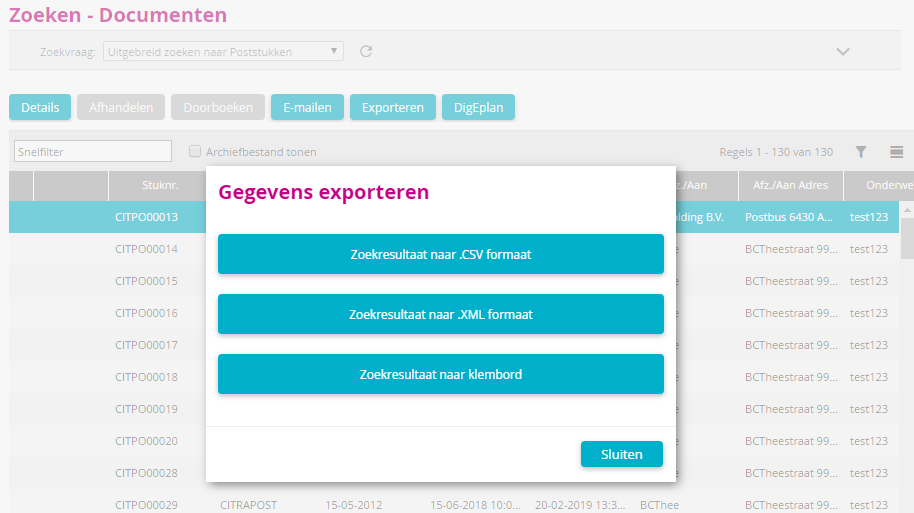 Click on to enlarge / reduce (update 2019-3) *CRS-155
|
Improved |
Document server |
The functioning of DS in terms of original PDF documents has been improved. Sometimes PDF text files were converted to PDF, while (according to the settings) they only needed to be copied. (update 2019-3) *CRS-7385
|
Improved |
Case Workflow |
With the STSTDS parameter, you can determine whether related documents should also be linked to a folder or case. If the value of the parameter is set to 1 or 2, this option is checked by default. Placing the DocId() formula on a task retrieves the document item number from the document linked with that task. The combination of the 2 went wrong, because just then several documents were linked to the task, and so several documents numbers were returned. This is now solved. (update 2019-3) *CRS-7366
|
Improved |
Corsa MyCorsa MyCorsa NxT |
The parameters behaut, behautva, caseaut and casautva have been given an extra (3rd) value. The AVG measure that a user was only allowed to view a document or case if they were the current administrator resulted in too many restrictions in practice. The values are: 0 = no (EXTRA) rights 1 = Only rights for the current administrator 2 = Rights for administrator, independent of treatment status (operation pre-AVG)
In existing environments, the current values are converted as follows: No becomes 0 Yes becomes 1 (update 2019-3) *CRS-7531
|
New |
MyCorsa NxT |
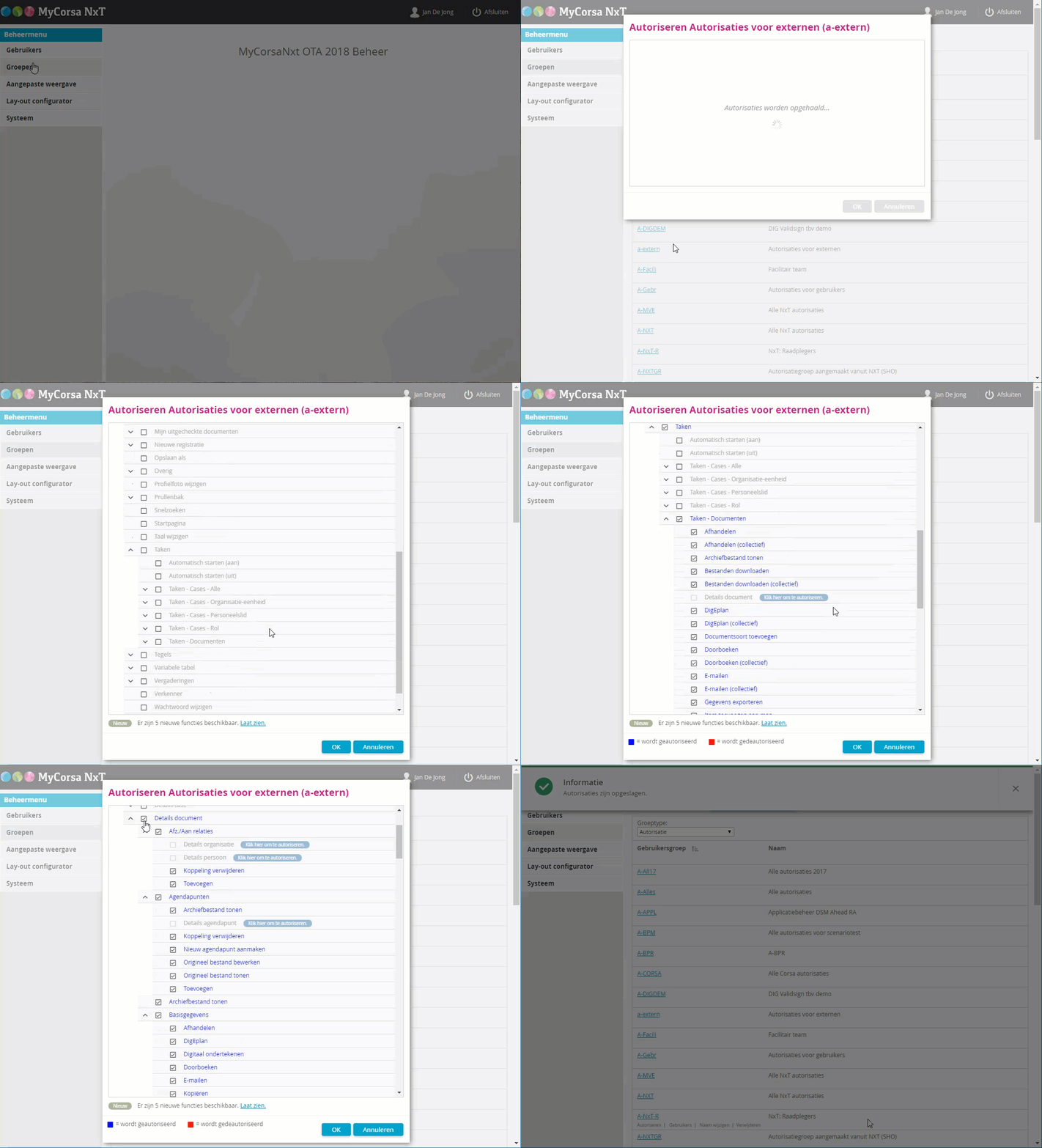
Via Management in MyCorsa NxT, you can now also authorise groups. You can add new groups and modify or delete existing groups. Per group, you can obtain authorisations for MyCorsa NxT and set up MyCorsa NxT Management. •Authorisation can easily be done by checking a function (not by dragging from left to right (or the other way around) as inCorsa) •De-authorisation can easily be done by unchecking a function. All sub-authorisations are also automatically de-authorised. •Via a •The colour and contrast of the background indicates whether ALL underlying sub-authorisations are checked (e.g. black), or only part of them (e.g. a dark grey checkbox) •Click on OK to save the authorisations in Corsa. Cancel only closes the window and does not save/modify anything.
This video you will give a short impression.
(update 2019-4) *CRS-7451
|
Improved |
MyCorsa NxT |
In the case of minutes, several documents are "stuck" together. If all parts have the same layout there is no problem, but sometimes different parts have different layouts. This causes the layout to get mixed up. Therefore, the parameter notulense has been added in Corsa. The Yes value specifies that a section break must be placed between the document parts. (update 2019-4) *CRS-7499
|
Bug fix |
MyCorsa NxT |
If an agenda item was locked, or if a user only had access to a calendar item, then the Save button and following was available. This has now been adjusted. In the situations described, the button is now "greyed out". (update 2019-4) *CRS-7502
|
Bug fix |
MyCorsa NxT |
Searching with application search in combination with a date range wasn't working well. When searching for... e.g. up to and including 23-01, no hits were found, but when searching for 20-01 up to and including 23-01, did result in hits from 23-01. This is now solved. (update 2019-4) *CRS-7109
|
Improved |
Corsa MyCorsa MyCorsa NxT |
The selections (lookups) of columns with selection 'employee of role' and 'employee of organisation-unit' didn't work well. Depending on the column definition, a filtering can take place on the roles/organisation-units to be shown in the selection screen. This can be done in 2 ways:
•At the initial value of a column, you can define the 'DblClickFilter()' formula. The value given to this formula is used to show only these roles/organisation-units. •You can also define 'Selection parameters' (a reference to a constant, feature value or column value) in the column definition (detail window). Note: The DblClickFilter() formula has priority over the selection parameters!
This is now functioning correctly in Corsa, MyCorsa NxT MyCorsa, also with operators (begins, matches etc.). Refer to the Help of the 'DblClickFilter()' formule. (update 2019-4) *CRS-7392
|
Improved |
MyCorsa NxT |
Copying folder authorisations is an action that can sometimes take a long time. As it seemed as if nothing was happening, users would click the button again. This resulted in error messages in the logging (actions started 2 times etc...). We have improved this as follows: if someone clicks on the Copy button, the button is temporarily disabled and an hourglass is shown until the action is finished. The user can then close the window. (update 2019-4) *CRS-7565
|
Improved |
MyCorsa NxT |
After a meeting has started, the secretary can now in the Details tab of an agenda item: •via the Participants button, add or delete participants during the meeting. Their data can be adjusted and the order can be adjusted. •via the Voting button, it is possible to record how the participants voted during the meeting. (update 2019-4) *CRS-7163, CRS-7164
|
Bug fix |
MyCorsa NxT |
If a user reduced the size of their browser window so that not all the buttons were visible anymore, then the drop-down menu (update 2019-4) *CRS-7290
|
Bug fix |
MyCorsa NxT |
In UCR 01, 02, 03 of 2019 before the 2018 release, the selection dialogues in Internet Explorer didn't work. That is now solved in this UCR. Hotfixes are available for the named UCRs. (update 2019-4) *CRS-7583
|
Improved |
MyCorsa NxT |
For a read-only document, the Show original file and Show archive file buttons were not available in the detail window of a document. On the Versions tab those buttons were available. (update 2019-4) *CRS-7586
|
Improved |
MyCorsa NxT |
A user drags a document to MyCorsa NxT (or uses the upload button) and then selects the option Create a new registration and link it to a Corsa object. The option Open registration window is now added so that the registration window opens immediately. Previously, after saving, the user still had to click on a link to open the registration window. (update 2019-4) *CRS-721
|
Improved |
DSP |
iGen import: Previously, a DSP template was created for each type of document. This was not necessary and the functionality has now been changed to one template per case type. (update 2019-4) *CRS-7391
|
Bug fix |
Corsa Management MyCorsa NxT |
There was a mistake in the authorisations for MyCorsa NxT. If the Manage for a group menu was authorised, the menu item sometimes remained visible in MyCorsa NxT. This is now solved. (update 2019-4) *CRS-7554
|
Bug fix |
MyCorsa NxT |
The formula AddDocument() in MyCorsa NxT didn't take into account the document type code you gave in the formula, while in Corsa it did. The functionality has now been aligned. (update 2019-4) *CRS-5226
|
Bug fix |
<%AS%> |
Search with date range in <%AS%> went wrong because time zones (UTC) were not taken into account. The registration time was inadvertently deducted by 1 hour (in winter time) or 2 hours (in summer time). This found a document from 01-04, while the user was looking for a date range up to and including 31-03. The search now works correctly. (update 2019-4) *CRS-7505
|
Improved |
Digital signature with ValidSign |
Signature requests in ValidSign have been improved. If a user sends a signature request to an external party from MyCorsa NxT, a maximum of one document per request is offered, so that the processing takes place 1-on-1 in workflow (update 2019-4) *CRS-7183
|
Improved |
Digital signature with ValidSign |
Signature requests in ValidSign have been improved. If a user sent a signature request from MyCorsa NxT to an external party, the data of the user (the sender) were clearly displayed (email address, first and last name). This requires version 2.4 of the Signing Service. (update 2019-4) *CRS-5457
|
Improved |
Digital signature with ValidSign |
If a user in MyCorsa NxT wants to submit a document for signature to ValidSign for the second time while the first request has not yet been processed, they will now be warned by a message. The user can cancel the first request or send it again. For this purpose, a feature digisign (character) is used. (update 2019-4) *CRS-7187, CRS-7184
|
Improved |
Digital signature with ValidSign |
A signature request with ValidSign allows multiple signers to be added. The order in which the signatures are added is the order in which they appear in the document. Previously, the names were shown in the order in which they were added, but the sorting was now mistakenly adjusted to be ordered by first name. This has now been adjusted. (update 2019-4) *CRS-7556
|
Improved |
Digital signature with ValidSign |
Signature requests in ValidSign have been improved. If a user inMyCorsa NxT sends a signature request, they can give it an expiration date and a transaction name so that the signature request is clear and valid for a limited period of time. (update 2019-4) *CRS-7182
|
New |
MyCorsa NxT |
When integrating with DigEplan, we now also support DigEplan Cloud, in combination with the 2016, 2017 and 2018 releases. (update 2019-4) *CRS-7390
|
Bug fix |
MyCorsa NxT |
One user wanted to collectively change the contract owner of a number of contracts. Collectively changing a case characteristic with selection 'Personnel Role' did not always work correctly, but that has now been solved. (update 2019-4) *CRS-6287
|
Bug fix |
MyCorsa |
Scanning colour pages in MyCorsa didn't work well. Because of the wrong compression, scanned files could sometimes become 10 times bigger. This is now solved. (update 2019-5) *CRS-7513
|
Bug fix |
Corsa MyCorsa MyCorsa NxT |
The parameter mailcrdoc determines whether an email should be sent to the current administrator if a document has been linked to a case by another user. In certain situations, this unintentionally didn't happen immediately if the document was linked via the tab card cases of the document. (update 2019-5) *CRS-7711
|
Improved |
MyCorsa NxT |
When changing a user via the Management in MyCorsa NxT no feedback was given while storing modified data. This could cause a user to click the Save button again. (update 2019-5) *CRS-7699
|
Improved |
MyCorsa NxT |
For a main document with form fields, the values of bookmarks in those form fields were not included in MyCorsa NxT if the user registered the document via the Office add-in (formula SetWordBookmark2). This is now solved. (update 2019-5) *CRS-7111
|
Improved |
MyCorsa NxT |
When merging to Word or Excel, the form may state that the result after merging must be saved to the <%DS%>. If a user merges multiple objects at the same time, then save <%DS%> is automatically switched off. (update 2019-5) *CRS-7721, CRS-7517
|
Bug fix |
MyCorsa NxT |
A tracking feature of the Date type did not show a calendar in Internet Explorer. This is now fixed. (update 2019-5) *CRS-6827
|
Bug fix |
MyCorsa NxT |
In Internet Explorer, when adding a user over the magnifying glass in an input field, a cross was displayed. (update 2019-5) *CRS-7694
|
Improved |
MyCorsa NxT |
It is now also possible to export a selection of records from a result after searching in MyCorsa NxT. (update 2019-5) *CRS-7787
|
Improved |
Corsa |
When importing folders, the process type and result type fields can now also be configured. (update 2019-5) *CRS-7567
|
Improved |
MyCorsa NxT |
The colour of the magnifying glass when editing a field in a variable table has been darkened. Due to the low contrast, it was previously almost invisible. (update 2019-5) *CRS-7766
|
New |
MyCorsa NxT |
Parameters can now be modified via the Management in MyCorsa NxT. (update 2019-5) *CRS-7603
|
Improved |
MyCorsa NxT |
The result windows and detail windows of items in MyCorsa NxT have been improved. The status of a document, folder, etc. is now shown in 1 column. Think, for example, of Checked out, Final, Locked, Transferred or Destroyed. Expired or Discontinued. Not all statuses apply to every object. More information will soon be available in the online help. (update 2019-5) *CRS-6954
|
Bug fix |
MyCorsa NxT |
The buttons to start/stop a meeting were not always visible. Sometimes a meeting, once started, could not be stopped. (update 2019-5) *CRS-7716
|
Bug fix |
MyCorsa NxT Vartab
|
The display of text in a vartab column has been improved. If the text didn't fit in the display, then the mouse-over didn't show the whole text. This is now solved. (update 2019-5) *CRS-7726
|
Improved |
Corsa |
When importing case types from the i-Navigator, the administrator can now choose not to create new versions of case types. If there are any versions, the most current version will be overwritten. (update 2019-5) *CRS-7685
|
Bug fix |
MyCorsa Order procedure |
As of UCR01-2019, there was an error in the order procedure that prevented the user from creating new order lines in MyCorsa. This is now solved. (update 2019-5) *CRS-7896
|
Improved |
MyCorsa NxT |
The option Generate document was mistakenly placed in the hamburger menu of a meeting. That hamburger menu now only contains actions that are used during the meeting. Generate document is still available as a button. (update 2019-5) *CRS-7786
|
Improved |
MyCorsa NxT |
If a user clicks on the Documents tab, the browse buttons are now available to browse to the next document in the folder. These buttons are made available from all tabs where multiple documents, folders, cases, etc. are listed. (update 2019-5) *CRS-7871
|
Bug fix |
MyCorsa NxT |
Situation: an organisation is linked to the details window of a person. This person can then be used as a contact person for that organisation. However, if the link was broken by clearing the organisation field, the house number field was not emptied. (update 2019-5) *CRS-7808
|
Improved |
Corsa |
Previously, system users could not be linked to groups when an organisation used LDAP. This is now possible. You can directly link them to a group in Corsa. (update 2019-5) *CRS-7796
|
Bug fix |
MyCorsa NxT |
An error occurred when collectively modifying the data of items in MyCorsa NxT. If the user wanted to add a feature that was already linked to one of the items via Collective Change, an error message would appear and it would not disappear until the user logged out of MyCorsa NxT. (update 2019-5) *CRS-7719
|
Improved |
MyCorsa NxT |
If a user emailed a document registration from MyCorsa NxT, the most recent version will always be emailed as an attachment or as a link. Now the user can use the Versions tab to choose to email an older version. (update 2019-5) *CRS-7809
|
Improved |
MyCorsa NxT |
For our Belgian customers, the links with the Rijksregister and the VBKO have been added. (update 2019-5) *CRS-7623
|
Bug fix |
MyCorsa NxT |
A user had found an item via <%AS%> and then opened the My Items view. If the result in the Sender/Addr. Relationships was displayed as a list (grid) then an error message occurred. This is now solved. (update 2019-5) *CRS-7587
|
Bug fix |
MyCorsa NxT |
When opening a meeting in MyCorsa NxT, the agenda items were displayed in a strange way (illegible and diagonal) if a layout had not yet been defined. This is now solved. (update 2019-5) *CRS-7727
|
Bug fix |
MyCorsa NxT |
When triggering based on a field, a feature was not filled with the triggered value if the feature was defined with 'Multiple'. (update 2019-5) *CRS-7768
|
New |
MyCorsa NxT |
For the management of MyCorsa NxT, online help is now available. (update 2019-06) *CRS-7919
|
Improved |
MyCorsa NxT |
A user is looking for a folder and wants to download all documents from the folder. It could happen that not all documents were downloaded because the path reference in Windows was too long, because the object description* was included in the folder name. This behaviour can now be controlled via the new parameter wz_DlUseDesc, which will allow you to determine that the description will not be included. *In the case of a document, the description of the version of the document file. (update 2019-06) *CRS-7894
|
Improved |
MyCorsa NxT |
Via the button "Manage participants" and then "Accept organ members" the newly added participants are set to "unregistered" by default. This is now adjusted to "present". (update 2019-06) *CRS-7976
|
Bug fix |
Corsa |
After linking a DSP subject to a new document, the tabs of the document were not shown. This is now fixed. (update 2019-06) *CRS-8072
|
Bug fix |
Corsa |
When reserving document numbers in Corsa, the filled-in subject was no longer filled in with the reserved numbers. This is now solved. (update 2019-06) *CRS-8076
|
Improved |
MyCorsa NxT |
If a user, when generating minutes, chose a form that did not contain a main document, the error message was not correct. The error message 'Error while creating number' has now been changed to 'Nothing can be linked. The cause may be a wrong location for the main document.’ (update 2019-06) *CRS-7907
|
Bug fix |
MyCorsa NxT |
If there is an & character in an object number, browsing using the arrow buttons did not work in a search result. This is now solved. (update 2019-06) *CRS-7908
|
Bug fix |
MyCorsa NxT |
When registering an email inMyCorsa NxT with a user interface, the content of the mail was truncated to 500 characters, even though the truncated field for email content was larger than 500 characters. This has now been adjusted. (update 2019-06) *CRS-8067
|
Improved |
MyCorsa NxT |
If you selected or added a value to an attribute of the type Post and the option "Multiple" was checked, it could take a long time before the value was shown in the feature. This is now solved, the values are now displayed immediately after the user clicks OK. (update 2019-06) *CRS-7914
|
Improved |
MyCorsa NxT |
If a search query was cancelled by a user, that user could mistakenly start asking other queries while the original query had not yet been cancelled. Now those buttons are not available until the cancellation is complete. (update 2019-07) *CRS-8143
|
Improved |
MyCorsa NxT |
When modifying documents collectively, the Author field was not fully visible when that field was clicked on. The display is now improved. (update 2019-07) *CRS7503
|
Improved |
MyCorsa NxT |
When a folder is linked to a document, a display of the last used folders is shown. This list could become too long for some users, making it difficult to get an overview and the OK-button was not shown. The number of last used folders is now set to a maximum of 10. (update 2019-07) *CRS-7968
|
Bug fix |
MyCorsa NxT |
If you are handling mail items within the same session via Search and via Document tasks, an error message could occur. This is now solved. (update 2019-07) *CRS-8259
|
Bug fix |
MyCorsa NxT |
After registering an email via the Add-in in Outlook, an overview window of theRegistered emails and/or attachments was shown. In that overview, the column 'document number' was not large enough to show the full number. When you tried to make that column bigger, this preference was not remembered. This bug has now been fixed. (update 2019-07) *CRS-7114
|
New |
MyCorsa NxT |
For the Belgian market; A user can request a selected person's head of family the Rijksregister so that an application can be processed correctly. (update 2019-07) *CRS-7625
|
Bug fix |
MyCorsa NxT Corsa/Case |
If a user linked a case and document type to a document, an incorrect description of the selected document type could be displayed. This could occur if several case types had document types with the same code. (update 2019-07) *CRS-8189
|
Improved |
Corsa MyCorsa NxT |
The date of departure of an employee now also affects case steps. If someone leaves, that person can no longer be selected as the next administrator. Employees who are authorised to view the (remaining) to do list of the departing person can still see that person in the to do list. (update 2019-07) *CRS-7945
|
Bug fix |
MyCorsa NxT |
If a user only wanted to register the attachments of an email (the checkbox for email not ticked) then the registrations of the attachment(s) were done correctly but the pop-up 'Save in MyCorsa NxT got stuck on the step 'Waiting for email(s) to be registered'. The user then had to click on cancel to close it. That is not correct behaviour and that has now been solved so that the Popup is now closed automatically. (update 2019-07) *CRS-7984
|
Improved |
MyCorsa NxT |
The description of a version of a document can now be changed afterwards, without having to upload a new version. (update 2019-07) *CRS-154
|
Bug fix |
MyCorsa NxT |
When copying a document registration with multiple confidentialities, those confidentialities were not correctly transferred to the new document registration. It worked well if only 1 confidentiality was linked. Please note that the application administrator must have set up that confidentialities are to be transferred with the copy action. The user cannot set this up themself in MyCorsa NxT. (update 2019-07) *CRS-8150
|
Bug fix |
Case |
The setting 'Startable from agenda item' in the definition of a case procedure was mistakenly no longer saved. This is now fixed. (update 2019-08) *CRS-8428
|
Bug fix |
Corsa |
Merging images via the TDSViewer with a document registration in Corsa didn't work anymore. This is now solved. (update 2019-08) *CRS-8334
|
Bug fix |
Corsa |
In the System - Installation - Programs window, it was mistakenly not possible to start a new program immediately after a program had been run. The Programs window had to be reopened first. This has now been adjusted. (update 2019-08) *CRS-8276
|
Improved |
MyCorsa NxT Rijksregister |
When linking to the Rijksregister, a user can now remove the customer indication from a person if it is no longer needed. This allows the data protection law to be complied with. The customer indication can be adjusted manually and via a workflow formula [TobaniaSync()]. (update 2019-08) *CRS-7624
|
Bug fix |
MyCorsa NxT |
If a user in MyCorsa NxT deleted a folder to which documents (with confidentialities) were linked, the user received an error message relating to it. Web speed was shown and MyCorsa NxT hung. (update 2019-08) *CRS-8452
|
Bug fix |
Corsa |
The "Split image" (SPLTIM) function was no longer working. An error message appeared that stated that the corresponding image could not be found. (update 2019-08) *CRS-8106
|
Improved |
MyCorsa NxT |
The version description of a document could still be changed, even if the document was marked as final. That was not the intention and that is no longer possible. (update 2019-08) *CRS-8326
|
Improved |
MyCorsa NxT |
When merging to Word from MyCorsa NxT the whole process takes place on the server. Adjustments have now been made to ensure that the forming of (for example) a decision list or folder overview runs smoothly. Customers want to display the items in such a list in a consecutive table. This is now possible under the following conditions: •the main document is a .docx file •the main document contains one table •merge fields are located only in that table, on one table line
Nothing special needs to be done. When merging multiple items, 1 table line per item is formed. (update 2019-08) *CRS-6462
|
Bug fix |
Corsa MyCorsa NxT |
If documents and/or folders were transferred to the E-depot, the metadata with a different description ended up in the metadata file. This is now fixed. (update 2019-08) *CRS-8454
|
Improved |
MyCorsa NxT |
If a user checked out a document from an agenda item and then saved it again via “Save toMyCorsa NxT”, the object type of the agenda item was not included, so MyCorsa NxT saved the file as a new document, regardless of the agenda item from which the user departed. A new document registration is now also created, but this is linked to the agenda item. (update 2019-09) *CRS-8427
|
Improved |
MyCorsa NxT |
A user directly searches for an item via Application Search in MyCorsa NxT by, for example, entering the document number. They are impatient and press Search a second time. MyCorsa NxT It indicates that 1 item has been found, but the tile is shown twice. This incorrect behaviour has now been corrected. The tile will only be shown once. (update 2019-09) *CRS-8475
|
Improved |
MyCorsa NxT |
If a user had pinned a folder to Pinned Folders and changed the name of the folder, that name change was not immediately displayed on the Pinned Items in the left-hand side of the window. This has now been adjusted. (update 2019-09) *CRS-8331
|
Bug fix |
Variable table |
Only in conjunction with Microsoft Edge; if you pressed ENTER after entering a field in the variable table, a new booking line was created. That undesirable behaviour has now been fixed. (update 2019-09) *CRS-7974
|
Improved |
MyCorsa NxT <%AS%> |
MyCorsa NxT by default, 10 results are shown after searching with <%AS%>. By moving the scrollbar the following 10 results are displayed. On high resolution monitors, where the screen is larger than the display of 10 results, no scroll bar was shown, so there was no possibility to retrieve the next set of 10 results. This is now solved. (update 2019-09) *CRS-8490
|
Bug fix |
MyCorsa NxT |
A user has added multiple files (with documents linked to them) to My items. The linked documents are displayed as a list. Opening a document in the first folder creates 1 new browser tab; correct behavior. If the user now opened a document from another folder, a browser tab was opened twice. If the user opened a document in a third folder, a browser tab was opened 3 times, etc. This behaviour is now fixed. (update 2019-09) *CRS-8356
|
New |
MyCorsa NxT |
To collectively modify document registrations in MyCorsa NxT, the options DSP (via subject) and DSP (via work process) have been added. (update 2019-09) *CRS-8164
|
Bug fix |
MyCorsa NxT |
If a merge field was included in a bookmark, when merging and saving that new document, it could happen that MyCorsa NxT interpreted it as a double value. (update 2019-09) *CRS-7812
|
Bug fix |
MyCorsa NxT |
In some cases, the bottom of letters such as g and j were no longer legible if a user used MyCorsa NxT in the Chrome browser and zoomed in quite a lot. This is now solved. (update 2019-09) *CRS-8474
|
Improved |
Digital signature |
Signature requests in ValidSign have been improved. As a user, I can determine the signing order and the position in the document if there are multiple signees, so that signatures are signed in the right order and signatures are also placed in the right place in the document. With the new 'signing face to face' option, multiple people can digitally sign a document on one device, for example during a meeting. The ValidSign adapter now supports advanced signing (with a company certificate) as well as qualified signing (with a personal certificate in combination with an authenticator). This functionality requires version 2.5.0 of the SigningService. (update 2019-09) *CRS-8181
|
New |
Digital signature |
For the Belgian market, there is now an integration between MyCorsa NxT and Verify available. An authorised user can send a signature from a document or case in MyCorsa NxT to Verify, where the handling of the digital signature takes place. (update 2019-09) *CRS-7875
|
Bug fix |
MyCorsa NxT Invoice |
When retrieving memo features from an Invoice case with a C in the Case ID, the 'translation' went wrong and the memo feature was not found. This is now fixed. (update 2019-09) *CRS-8562
|
New |
Export |
Administrators can now define that a trigger file has to be created for an export. This trigger file then ensures that the processing of the export can take place automatically. If the option "XML export folder (server)" is filled, the option Create trigger file is, by default, set to Yes.
(update 2019-10) *CRS-8285
|
Improved |
Corsa MyCorsa NxT Documents |
When adjusting the stamp functionality, the stamp is apparently not immediately updated. The user must close and restart Corsa to see the changes. This is caused by the fact that the archive file is cached in the temp folder of the session (for example: C:\Users\<USER>\AppData\Local\Temp\CORSA-Images). Unfortunately, we cannot achieve this in any other way. (update 2019-10) *CRS-5925
|
Improved |
MyCorsa NxT |
When filling in a date field in MyCorsa NxT, it could happen that a user types in a wrong date unnoticed. For example, 01/08/20018 (1 zero too many) was saved as 01/08/2001. The user is now warned when they type in more than 10 characters by displaying the date in red.
(update 2019-10) *CRS-5824
|
Improved |
Importing a number of process types via a .csv file did not work if alphanumeric codes were used in the first column Process type number(e.g. B001). Immediately after clicking on OK to perform the import, the message 'Import OK' was displayed, while nothing had actually been imported. We have made an adjustment so that the first column can now contain an alphanumeric code with a maximum of 6 characters. Note that the structure of the rest of the file must still comply with the fixed format"Process type number;Process type name;Process type description;Process type note;Process object;No.;Generic / specific;Result;Description;Source;Valuation;Process time limit;Storage limit;Note". (update 2019-10) *CRS-8574
|
|
Improved |
MyCorsa NxT |
Current situation: a workstation uses the custom Windows scale display, which, among other things, enlarges texts in windows. If the user then registered an email in MyCorsa NxT, the Save button could not be seen and there was no scroll bar available to reach that place. Now the display has been changed to include a scroll bar. (update 2019-10) *CRS-8566
|
Improved |
MyCorsa NxT |
The application administrator can set for each new user in Corsa and MyCorsa NxT an initial password, for example, ‘welcome’. When the new user logs in, they have to change the password. In MyCorsa NxT, the first time you log in to the login window, the Change password panel will be displayed. So far, everything is working well. At the bottom of this panel, however, there is an erroneous link Forgot Password. It shouldn't be there yet because the user hasn't set their own password yet. The Change Password link has now been removed in this specific situation. (update 2019-10) *CRS-8560
|
Improved |
MyCorsa NxT |
If a user transfers multiple files to MyCorsa NxT to register them, they have the choice to check the field 'Place in tasks’. This field has now been added to the user settings, so once ticked, the option will remain active until the user unchecks the field again.
(update 2019-10) *CRS-8606
|
Improved |
Web service |
New method CreateFileVersion3 which allows the administrator, when creating a document, to use the web service to give a priority to the <%DS%>. (update 2019-10) *CRS-8372
|
New |
Invoice Link with Metacom |
In order to be able to optimise the invoicing process, the link with Metacom has been expanded with 2 new web service methods: CreateFirstRoundInvoiceFromXML2 (registering 1st course booking in Metacom) and ReleaseExternalLock (cancelling a 1st course booking in Metacom). (update 2019-10) *CRS-7798
|
New |
MyCorsa NxT |
In theMyCorsa NxT management, you can now set up per user whether they must use Two-factor authentication (2-FA) when logging into MyCorsa NxT. This means that after entering the username and password, a user still has to enter the code that is generated on the smartphone by an app such as Google Authenticator or Authy. This is what logging in looks like:
(update 2019-10) *CRS-7879
|
New |
MyCorsa NxT |
Setting 2-FA is done as follows. In MyCorsa NxT, go to Management, User and change the desired user. Check the box by option Two-factor authentication and save the settings with OK.
If the user then logs into MyCorsa NxT, a QR-code appears in MyCorsa NxT which they then scan with the app. Then save the account in the app. This is a one-time operation. The next time the user logs in, a 6-digit code is displayed in the app that the user has to enter. If the user has a new device that needs to be set up, you can click on Reset the code, the QR-code is shown again and the process repeats itself.
(update 2019-10) *CRS-7879
|
New
|
MyCorsa NxT |
In the MyCorsa NxT management, the application manager can now also authorise the function Undo checkout from other users. This allows a user to undo the checkout of documents from other users. (update 2019-10) *CRS-8573
|
Bug fix |
Web service |
Documents with an ü in the document ID caused problems when importing via the Webservice. This now solved. (update 2019-10) *CRS-8161
|
Improved |
MyCorsa NxT |
Registering emails with attachments: in line with the functionality in MyCorsa, it is now possible to copy the metadata from the email registration to the attachment registrations in MyCorsa NxT. After the registration window of the email, you can browse through the registration windows of the attachment(s) and adjust the data if necessary. Which data is registered is determined centrally by the application manager via the w-vconfig.r program. (update 2019-10) *CRS-8442
|
New |
MyCorsa NxT |
If you want to link an object, you can now search for that object through a folder. Example: I've added a folder to my folders. I then have a document registration that I want to add to that folder. I open the document registration, go to the Folders tab, click on Add. Then I can click on the magnifying glass to go to Search folders. In that window, there is now also a Search in folders option. A click on that button shows the user's folders. All items are shown, but in this case, only folders can be selected and added to the document registration.
(update 2019-10) *CRS-7955
|
Bug fix |
MyCorsa NxT |
There was a bug that in specific cases the message "Step is already completed" would appear. This is now fixed. (update 2019-10) *CRS-8710
|

 through that trigger field (without modifying the value).
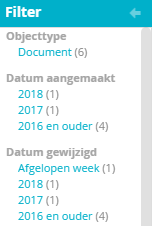 With the
 and
 no longer had any effect.
 on the
 collapse or
 expand) was not visible on iPad with a resolution of 800x600.
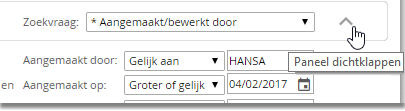
 of the document was unintentionally displayed in the window
 (instead of clicking on
 ) an unintentional
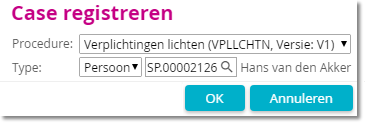
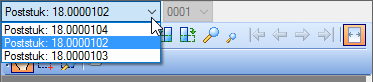

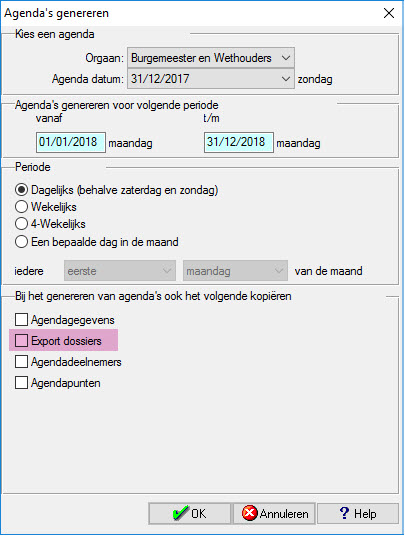
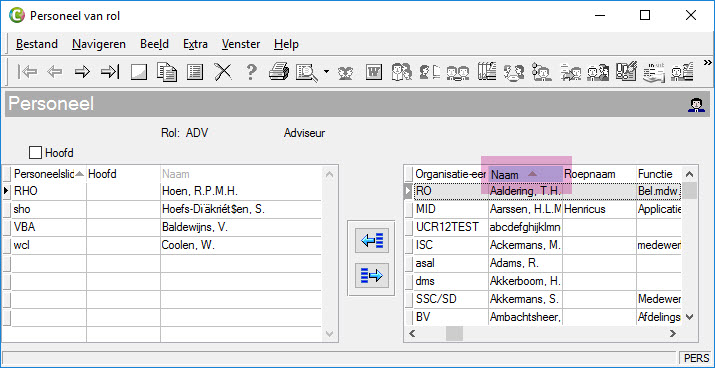


 counter indicates the number of

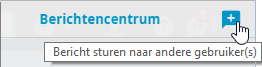
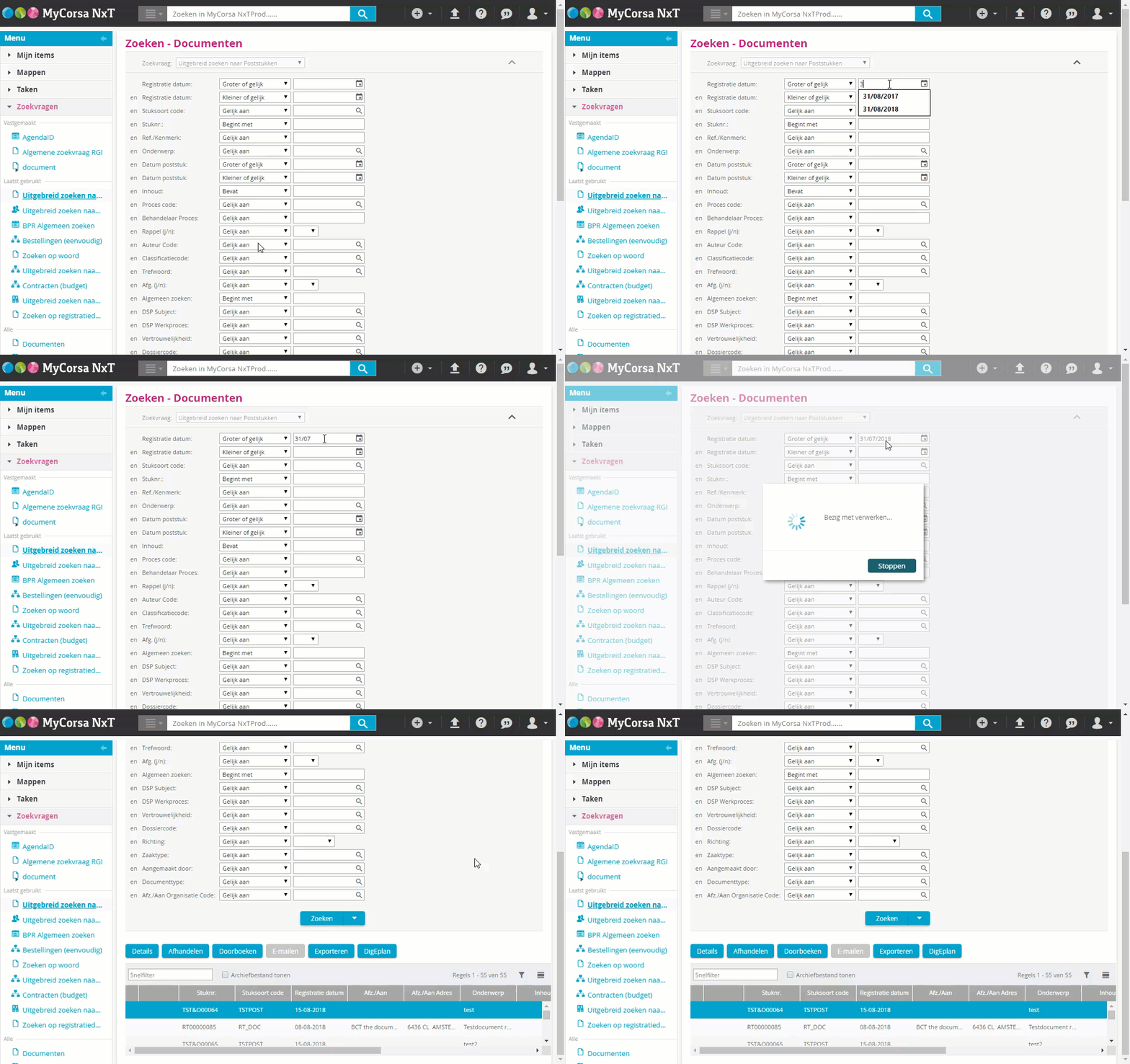
 .
 user-friendly
 , to the right of the field for object numbers, you can select a
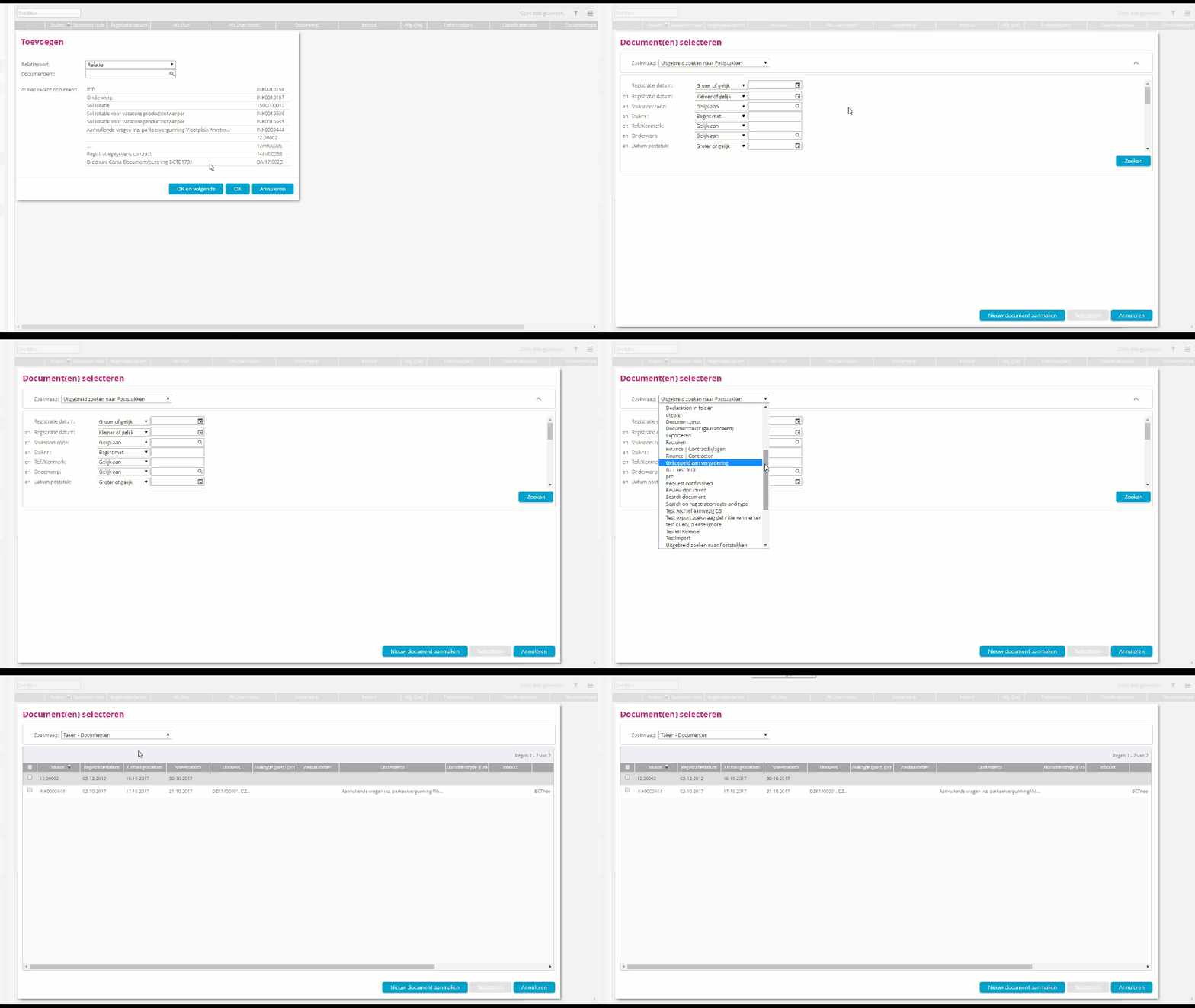
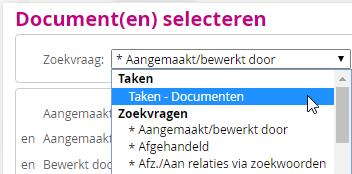
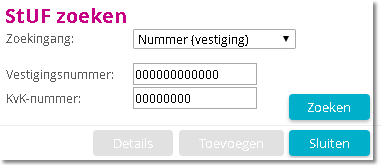
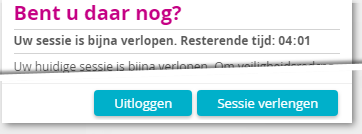
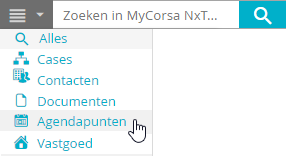
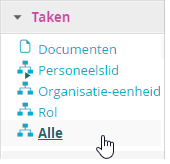 New function


 .

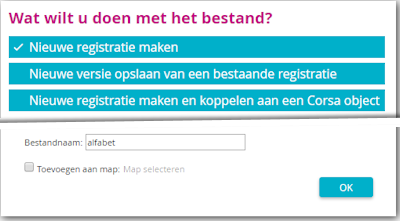

 Save file as new version of the registration
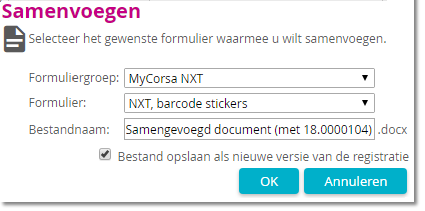
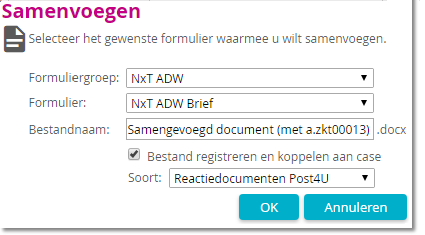
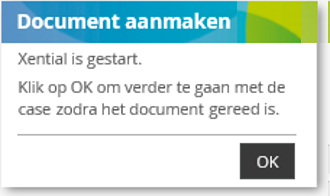





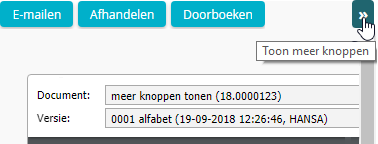
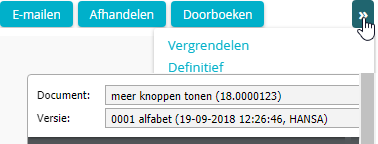
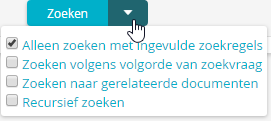 The additional options for search queries are now also available when linking objects in the
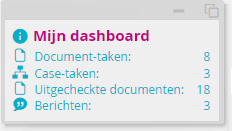 For your convenience, you can now display the mini window
 . If the
 of a process line in the displayed


 [W_AUTOVUE] was unintentionally not available in the
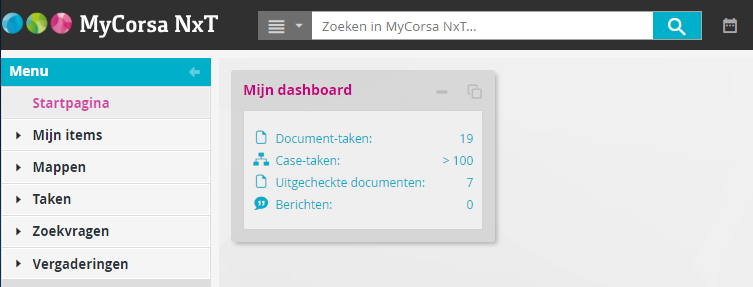

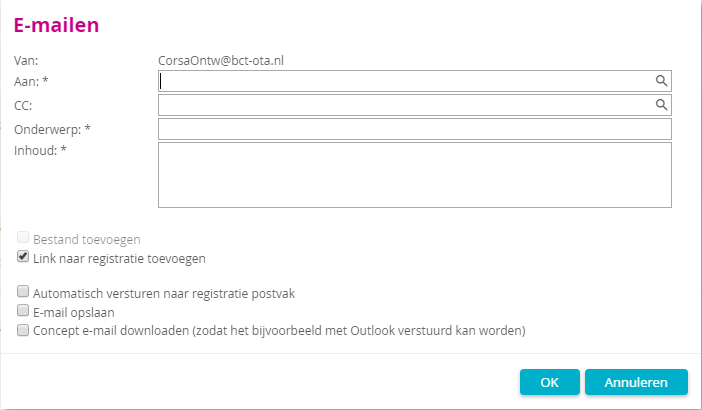
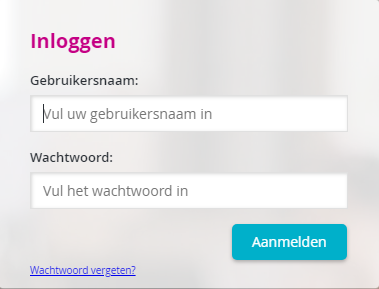

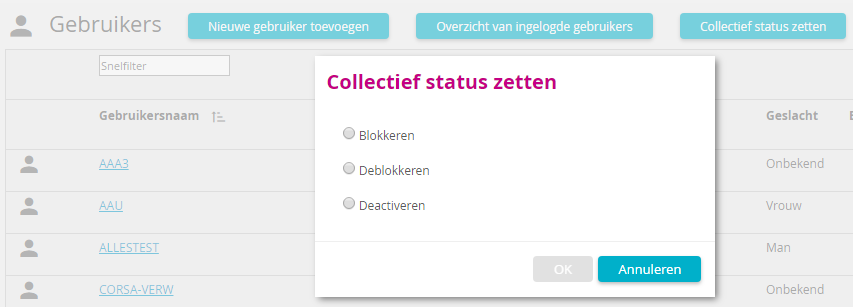
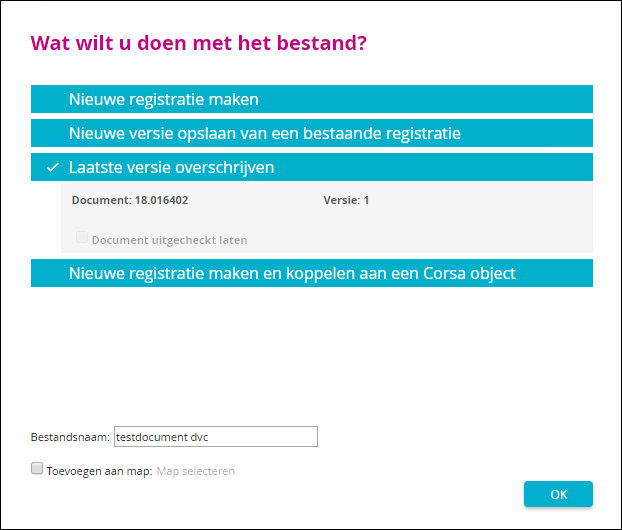
 . Completed tasks are indicated by a green check mark
 .¤
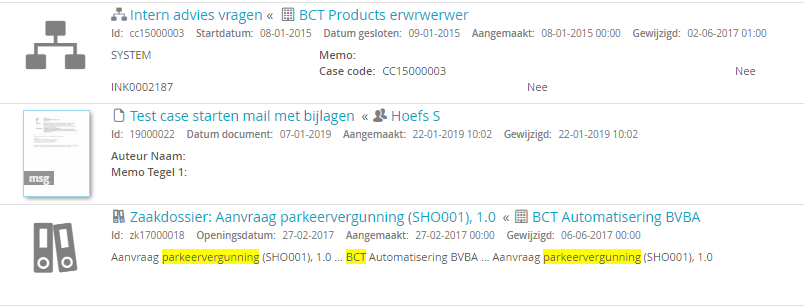
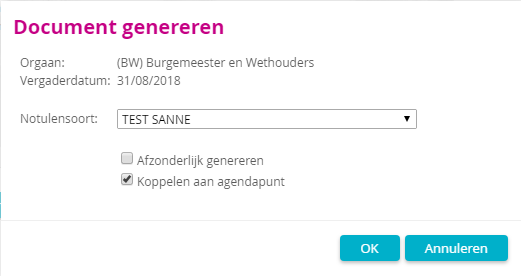
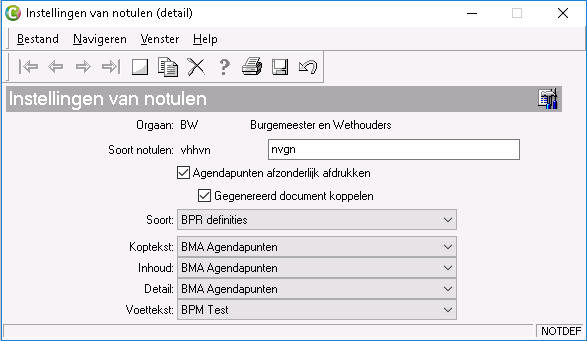


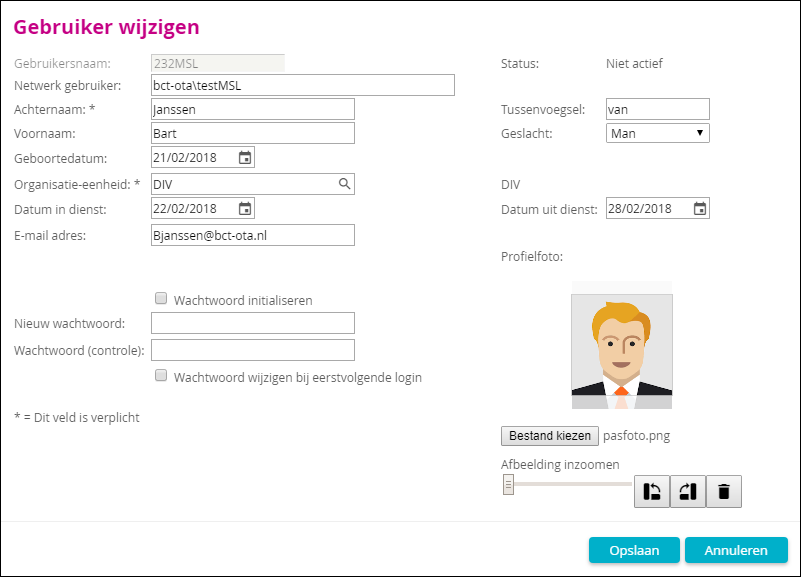

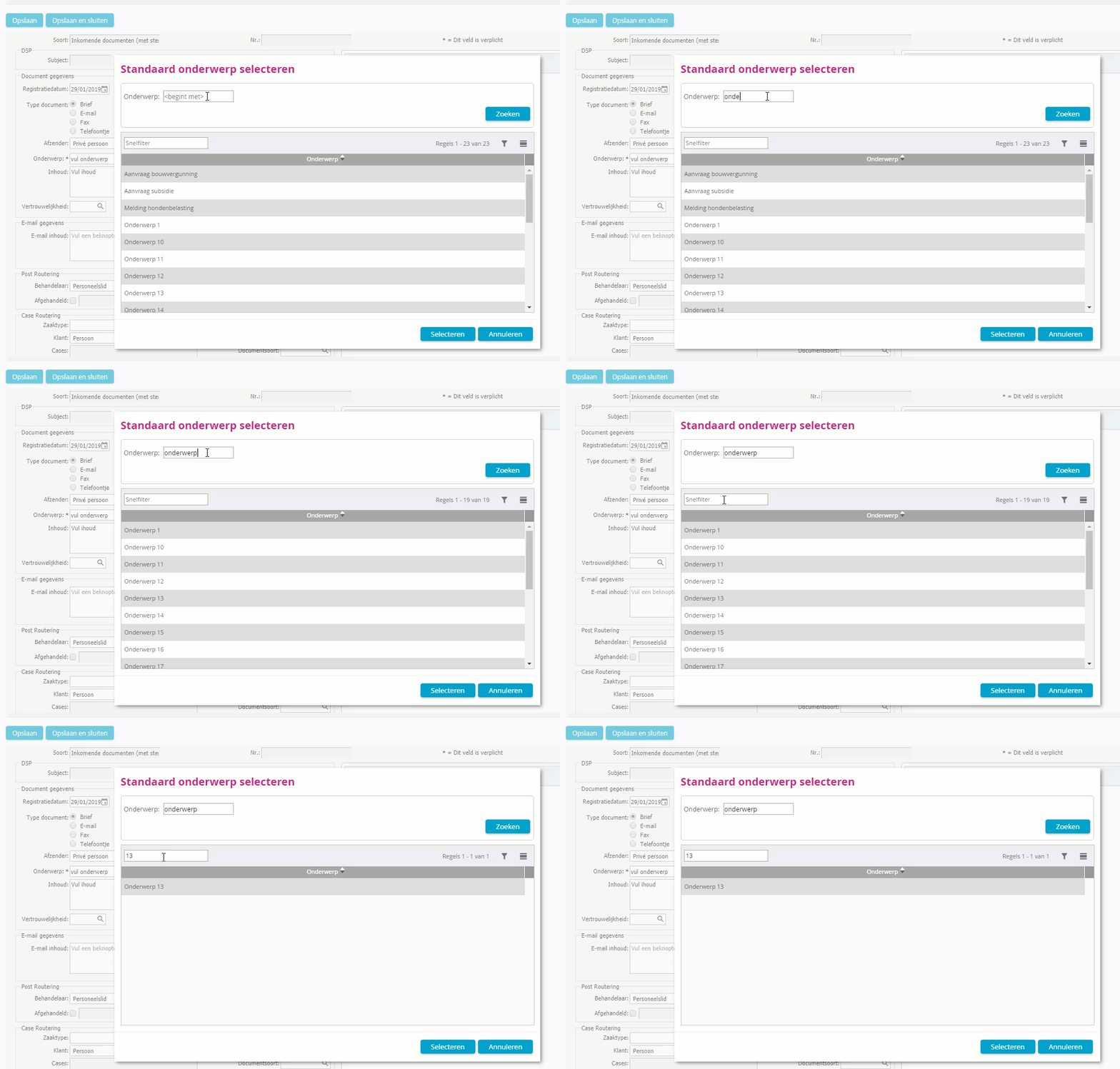
 Excel document
 , JPG
 TXT/LOG
 email MSG
 , RTF
 PDF original file
 .
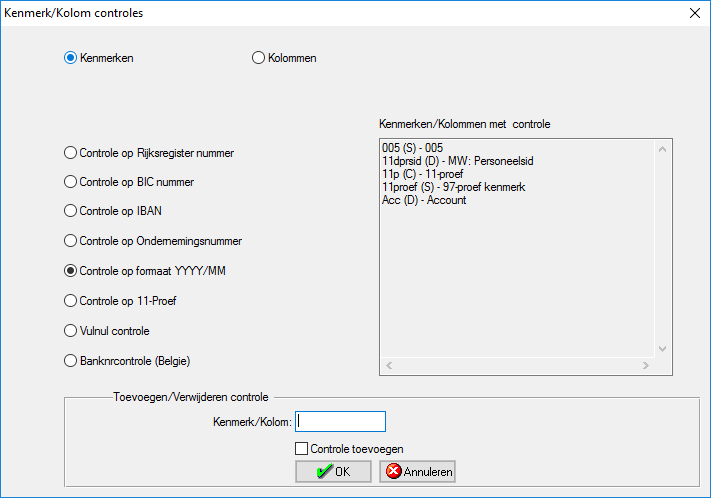
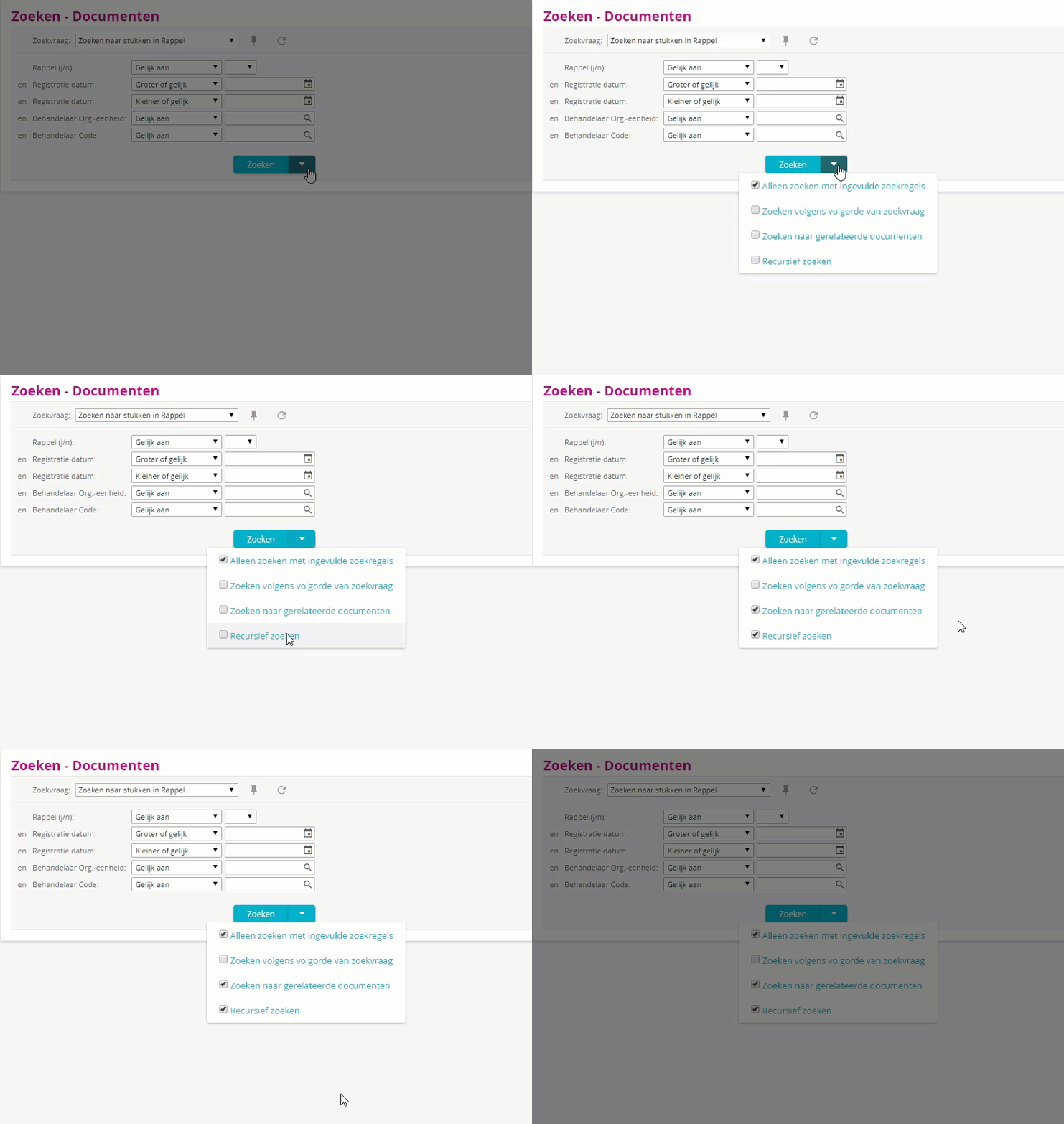


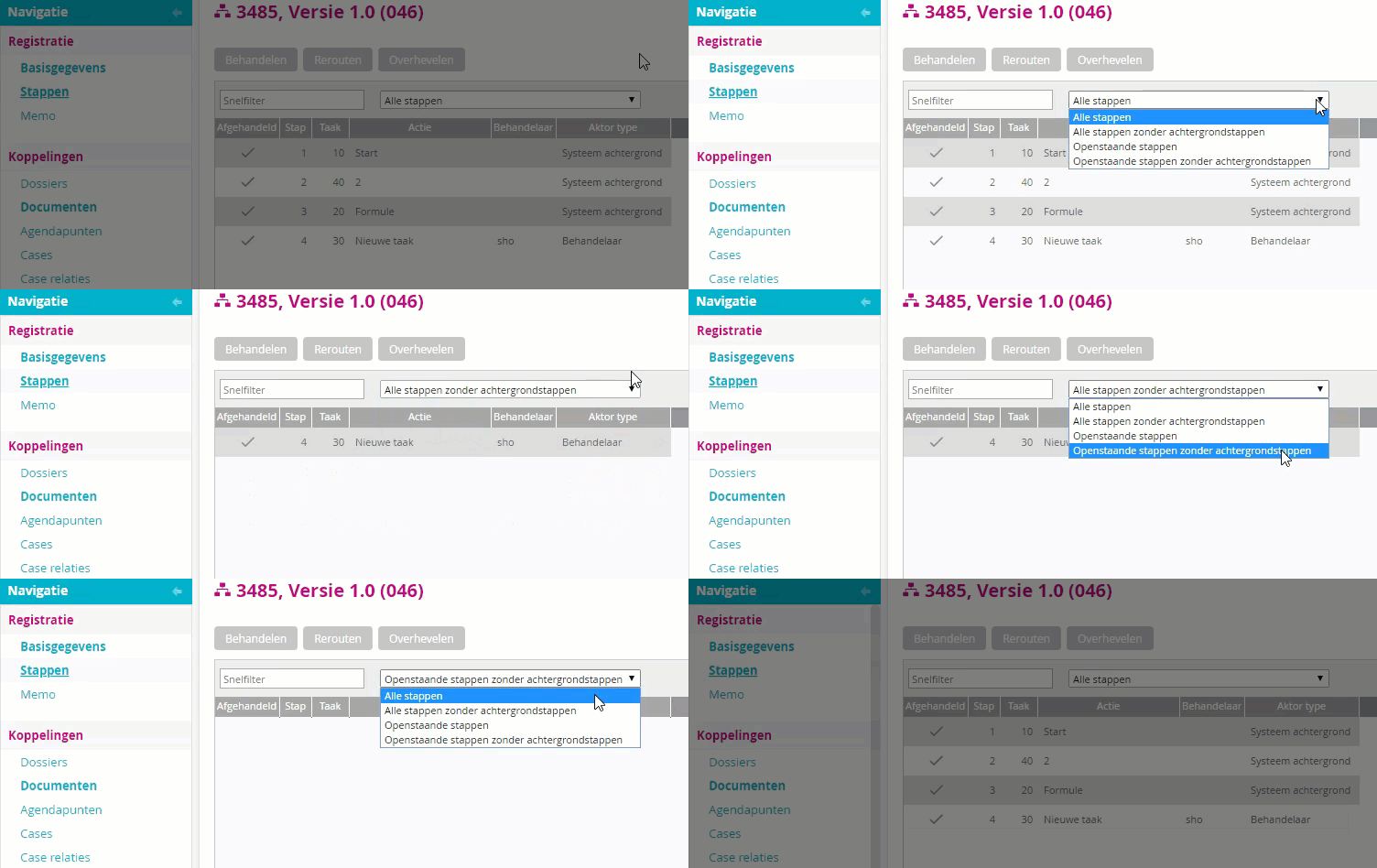
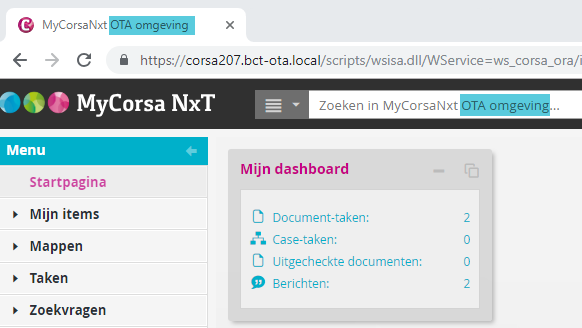
 you can see that there is a substructure under a certain function. By clicking on the icon, the sub-authorisations are shown. These can also have sub-authorisations.